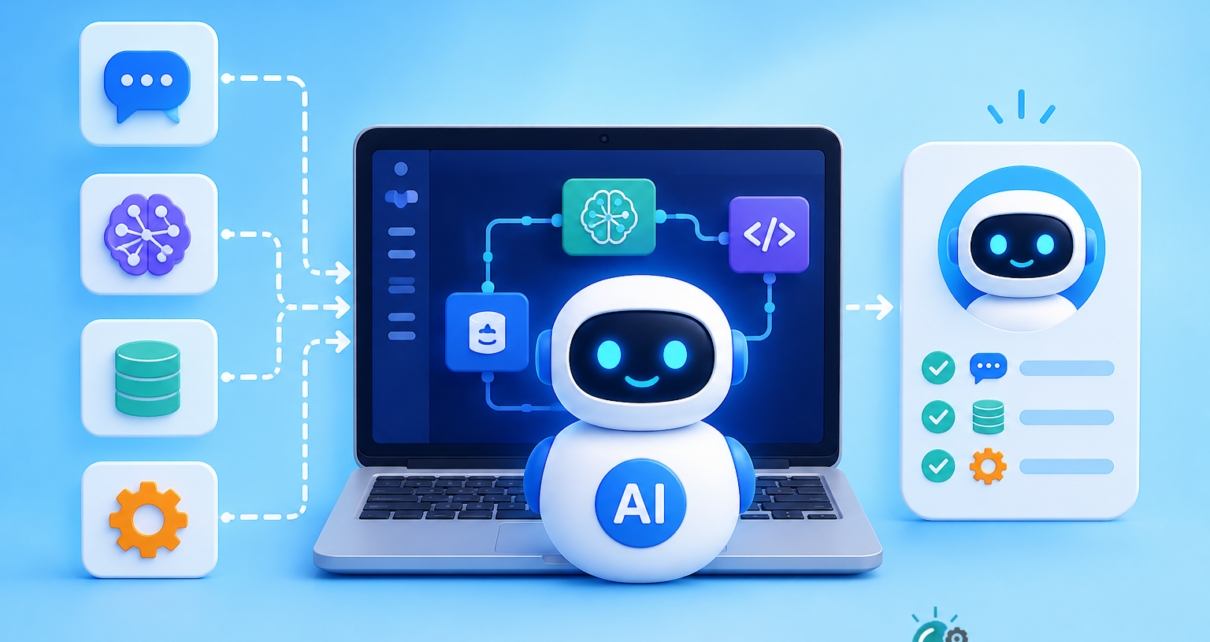
Artificial intelligence is moving beyond simple chatbots. In 2026, one of the biggest trends in AI is the rise of AI agents—systems that can understand a goal, make decisions, use tools, and complete tasks with limited human intervention.
You may have already used an AI agent without realizing it. An AI system that researches information, updates a spreadsheet, sends an email, analyzes customer data, or creates a report can be designed as an agent when it can decide what steps to take rather than simply responding to one prompt.
The good news is that you don’t need to be an AI researcher to build one.
Modern AI platforms, APIs, agent frameworks, databases, and automation tools make it possible for beginners and developers to create useful AI agents with relatively little code.
In this guide, you’ll learn how to build an AI agent in 2026, what components you need, how AI agents work, which technologies you can use, and how to create your first simple agent.
What Is an AI Agent?
An AI agent is a software system that uses artificial intelligence to achieve a specific goal by reasoning about a task, deciding what to do, using available tools, and evaluating the results.
A traditional chatbot usually works like this:
User → Prompt → AI → Answer
An AI agent can work more like this:
Goal → Understand → Plan → Use tools → Check results → Take next action → Complete task
For example, imagine asking:
“Find three good cloud hosting options for my startup and compare their prices, features, and developer tools.”
A basic chatbot might provide an answer based on information it already knows.
An AI agent could potentially:
- Understand the research objective.
- Search for current information.
- Collect relevant data.
- Compare different services.
- Calculate costs.
- Organize the findings.
- Create a report.
- Ask you for clarification if something is missing.
That’s what makes agents different from simple AI chat interfaces.
AI Agent vs. Chatbot: What’s the Difference?
The terms AI chatbot and AI agent are sometimes used interchangeably, but they are not the same.
| Feature | AI Chatbot | AI Agent |
| Answers questions | Yes | Yes |
| Follows a conversation | Yes | Yes |
| Uses external tools | Sometimes | Usually |
| Makes multi-step decisions | Limited | Yes |
| Can take actions | Limited | Yes |
| Works toward a goal | Sometimes | Yes |
| Can operate autonomously | Usually limited | Often |
| Can use memory | Sometimes | Often |
| Can evaluate results | Limited | Yes |
The important difference is agency.
A chatbot primarily responds to you. An agent is designed to work toward an objective.
How Do AI Agents Work?
Although advanced agents can become complicated, most AI agents can be understood through a few basic components.
1. AI Model
The AI model is the “brain” of the agent.
It interprets instructions, understands information, reasons about the problem, and decides what should happen next.
Depending on your application, you might use a large language model (LLM) from providers such as OpenAI, Anthropic, Google, or another model provider.
You don’t necessarily need the largest or most expensive model.
For simple tasks, a smaller and faster model may be enough.
2. Instructions
The agent needs clear instructions about its role and responsibilities.
For example:
You are a customer-support agent. Analyze customer questions, search the product knowledge base when necessary, and provide accurate answers. If you are uncertain, ask a human for help.
These instructions establish the agent’s behavior.
Good instructions are especially important because an agent may make multiple decisions during a task.
3. Tools
Tools allow an AI agent to interact with the outside world.
For example, an agent could have access to:
- Web search
- Databases
- APIs
- Calculators
- Calendars
- File systems
- CRM systems
- Code execution
- Business applications
- Internal knowledge bases
Without tools, an AI agent is largely limited to generating information.
With tools, it can do things.
For example:
User: “Schedule a meeting with Sarah tomorrow.”
The agent could:
- Check the calendar.
- Find Sarah’s availability.
- Choose an appropriate time.
- Create the event.
- Send an invitation.
The AI model handles reasoning, while tools allow the agent to perform actions.
4. Memory
Memory allows an agent to retain useful information.
There are generally two important types of memory.
Short-Term Memory
This is the information available during the current task or conversation.
For example:
“My preferred meeting time is between 10 AM and 2 PM.”
The agent can use that information while handling the current conversation.
Long-Term Memory
Long-term memory allows an application to store useful information for future interactions.
For example, a personal productivity agent could remember:
- Preferred working hours
- Frequently used applications
- Communication preferences
- Previous projects
- Common tasks
However, developers should be careful about what information is stored and how it is protected.
5. Planning and Reasoning
A useful AI agent needs to determine what actions are necessary to accomplish a goal.
Suppose the goal is:
“Prepare a weekly sales report.”
The agent might break the task into:
- Retrieve sales data.
- Clean the data.
- Calculate weekly revenue.
- Compare it with the previous week.
- Identify major changes.
- Generate a summary.
- Create the report.
This process is often called task planning or agentic reasoning.
Modern agent systems can use different approaches, from simple tool-calling loops to more sophisticated workflows.
6. Feedback and Evaluation
A good AI agent shouldn’t blindly trust every result.
It should have ways to check whether an action worked.
For example:
- Agent sends an API request.
- API returns an error.
- Agent reads the error.
- Agent changes its approach.
- Agent tries again.
This feedback loop can make agents much more reliable.
However, developers should also establish limits. An agent shouldn’t be allowed to retry an operation forever or perform potentially dangerous actions without approval.
What Do You Need to Build an AI Agent in 2026?
You can build a simple agent with just a few components.
Basic requirements
- A programming language such as Python or JavaScript
- Access to an AI model
- An API key
- A clear task
- One or more tools
- Basic application logic
For more advanced systems, you may also need:
- A database
- Vector search
- Authentication
- Observability
- Evaluation tools
- An agent framework
- API integrations
- Security controls
The key is to start small.
Don’t try to build a fully autonomous business assistant on your first attempt.
Step-by-Step: How to Build an AI Agent
Let’s create a simple conceptual AI agent that can answer questions and use a calculator tool.
The goal is straightforward:
Build an AI assistant that can decide when it needs a calculator to solve a problem.
Step 1: Choose One Specific Problem
The first mistake beginners make is trying to create an agent that can do everything.
Instead, choose one narrow problem.
Good beginner projects include:
- Research assistant
- Customer-support assistant
- Coding assistant
- Data-analysis assistant
- Content research agent
- Personal productivity assistant
- Document-analysis agent
- Lead qualification agent
For our example, we’ll create a simple research and calculation agent.
Step 2: Choose Your AI Model
The model provides the reasoning capabilities of your agent.
When selecting a model, consider:
- Accuracy
- Speed
- Cost
- Context window
- Tool-calling support
- Structured output
- Privacy requirements
In 2026, there are many capable models available, so don’t choose a model simply because it is popular.
Match the model to your task.
For a basic customer-support agent, a fast and relatively inexpensive model may be more useful than a very expensive reasoning model.
Step 3: Define the Agent’s Instructions
Give your agent a clear role.
For example:
You are a helpful research assistant.
Your job is to answer user questions accurately.
When calculations are required, use the calculator tool.
Do not guess mathematical results.
If you don’t have enough information, ask the user for clarification.
Notice how simple this is.
You don’t need hundreds of lines of instructions to start.
The instructions should clearly define:
- The agent’s role
- Its goal
- Available tools
- When tools should be used
- What it should do when information is missing
- Important limitations
Step 4: Give the Agent a Tool
Now we give the agent a calculator.
Conceptually, the tool might look like this:
def calculator(expression):
return eval(expression)
However, do not use raw eval() in a production application because it can execute arbitrary Python code.
A real application should use a safe mathematical expression parser or a restricted calculation service.
The important idea is that the agent doesn’t perform every operation itself.
Instead, it can decide:
“I need the calculator.”
Then the application executes the tool and returns the result.
Step 5: Create the Agent Loop
The core agent workflow can be represented like this:
User request
↓
AI model
↓
Does the agent need a tool?
↓
Yes ─────→ Execute tool
↓ ↓
└──── Return result
↓
AI model
↓
Final answer
This loop is the foundation of many agentic applications.
For more complex agents, the loop may contain multiple tools and multiple decision steps.
Step 6: Add Real Tools
Once your basic agent works, you can give it additional capabilities.
For example:
Search Tool
Allows the agent to retrieve current information.
Database Tool
Allows the agent to query structured business data.
Email Tool
Allows the agent to draft or send messages.
Calendar Tool
Allows the agent to check schedules and create events.
File Tool
Allows the agent to read and analyze documents.
CRM Tool
Allows the agent to retrieve or update customer information.
The more tools you add, the more powerful the agent becomes—but also the more important security and testing become.
Step 7: Add Knowledge with RAG
Many useful AI agents need access to private or company-specific information.
This is where Retrieval-Augmented Generation (RAG) can help.
Instead of expecting the AI model to know everything, your application can:
- Store documents.
- Convert documents into searchable representations.
- Search for relevant information.
- Give the relevant information to the AI model.
- Generate an answer based on that information.
For example, a company-support agent could search:
- Product manuals
- FAQs
- Internal documentation
- Policies
- Knowledge-base articles
Then the agent can use those results when answering customers.
This can be much more useful than relying only on the model’s general knowledge.
Step 8: Add Memory Carefully
If your agent needs to remember information between conversations, add a database or memory layer.
For example:
User
↓
Agent
↓
Memory search
↓
Relevant user information
↓
AI model
↓
Response
But remember:
More memory does not automatically mean a better agent.
Only store information that is useful, appropriate, and necessary.
You should also consider:
- Data retention
- User consent
- Access control
- Encryption
- Data deletion
- Privacy regulations
Step 9: Add Human Approval
One of the most important concepts in AI-agent development is human-in-the-loop.
Not every action should happen automatically.
For example, an agent may be allowed to:
- Draft an email automatically
- Research information automatically
- Analyze a document automatically
But you may want human approval before it:
- Sends an important email
- Purchases something
- Deletes data
- Changes financial information
- Publishes content
- Changes production systems
A simple workflow could be:
Agent decides action
↓
Risk check
↓
Human approval required?
↓
Yes → Ask human
↓
Approved
↓
Execute action
This approach can dramatically reduce the risk of unwanted actions.
Step 10: Test Your AI Agent
Never assume your agent works correctly just because it succeeded once.
Test it with different scenarios.
For example:
Normal request
“Find the latest sales numbers.”
Missing information
“Send the report to them.”
Who is “them”?
The agent should ask for clarification instead of guessing.
Tool failure
What happens if the database is unavailable?
Wrong information
What happens if a search result is incomplete?
Dangerous request
What happens if someone asks the agent to delete important information?
Unexpected input
What happens if the user provides confusing or malicious instructions?
Testing these scenarios is critical.
Common AI Agent Architecture
A basic AI agent architecture can look like this:
┌──────────────┐
│ User │
└──────┬───────┘
│
▼
┌───────────────┐
│ Agent App │
└──────┬────────┘
│
┌────────▼────────┐
│ AI Model │
└────────┬────────┘
│
┌────────────┼────────────┐
▼ ▼ ▼
Search Database Memory
Tool Tool Store
│ │ │
└────────────┼────────────┘
▼
Agent Decision
│
▼
Final Response
This architecture can be expanded as your application becomes more sophisticated.
Popular Technologies for Building AI Agents in 2026
There isn’t one perfect technology stack for every AI agent.
Your choice depends on your programming experience and application requirements.
Python
Python remains a popular choice for AI and automation projects because it has a large ecosystem for machine learning, APIs, data processing, and AI development.
It is particularly suitable for beginners.
JavaScript and TypeScript
JavaScript and TypeScript are useful when your agent needs to integrate closely with web applications and modern backend systems.
TypeScript can be especially helpful for larger production applications because of its type system.
Agent Frameworks
Frameworks can simplify:
- Tool calling
- Agent workflows
- Memory
- State management
- Multi-step tasks
- Integrations
However, beginners shouldn’t automatically use a framework for every project.
Sometimes a simple model + tool-calling loop is easier to understand and maintain.
Single AI Agent vs. Multi-Agent Systems
You may hear another popular term in 2026: multi-agent systems.
A single agent might handle an entire workflow.
A multi-agent system divides the work among specialized agents.
For example:
Main Agent
│
┌──────────┼──────────┐
▼ ▼ ▼
Research Analysis Writing
Agent Agent Agent
│ │ │
└──────────┼──────────┘
▼
Final Report
One agent might conduct research.
Another analyzes the information.
A third writes the final report.
Multi-agent architectures can be powerful, but they also introduce additional complexity.
For beginners, start with one agent.
Move to multiple agents only when there is a clear reason.
AI Agent Security: What Beginners Need to Know
AI agents can interact with real systems, so security becomes extremely important.
A chatbot that generates incorrect text is annoying.
An agent that has permission to modify your database can cause serious problems.
Here are some important security principles.
Limit Permissions
Give your agent only the permissions it actually needs.
If an agent only needs to read customer information, don’t permit it to delete customer records.
This follows the principle of least privilege.
Validate Tool Inputs
Never assume that an AI-generated tool call is safe.
Validate:
- Parameters
- User permissions
- Data formats
- Resource identifiers
- Transaction limits
Require Approval for High-Risk Actions
Use human approval for sensitive operations.
Monitor Agent Activity
Keep logs of:
- User requests
- Tool calls
- Errors
- Important decisions
- External actions
Monitoring makes it easier to detect problems.
How Much Does It Cost to Build an AI Agent?
The cost depends heavily on what your agent does.
A simple experimental agent may cost very little.
A production agent handling thousands of users and performing many tool calls can become significantly more expensive.
Your costs may include:
- AI model API usage
- Database hosting
- Vector database or search
- Cloud infrastructure
- Third-party APIs
- Monitoring
- Storage
- Development
- Security
One important lesson is:
Don’t optimize for the most powerful model. Optimize for the best model that can reliably complete the task.
You can often reduce costs by:
- Using smaller models for simple tasks
- Limiting unnecessary tool calls
- Caching repeated information
- Reducing unnecessary context
- Setting usage limits
- Using deterministic tools for calculations
10 Beginner-Friendly AI Agent Project Ideas
If you’re learning how to build AI agents, try one of these projects.
1. AI Research Assistant
Give it a topic and let it collect and summarize information.
2. Customer Support Agent
Connect an AI model to a company knowledge base.
3. Meeting Assistant
Summarize meeting notes and create action items.
4. Email Assistant
Classify incoming messages and prepare suggested replies.
5. Coding Agent
Help developers analyze code, write tests, and troubleshoot errors.
6. Data Analysis Agent
Allow users to ask questions about a dataset using natural language.
7. Personal Productivity Agent
Help organize tasks, notes, and reminders.
8. Document Agent
Upload a document and allow users to ask questions about it.
9. Sales Assistant
Analyze leads and recommend follow-up actions.
10. Content Research Agent
Research topics, identify useful sources, and prepare content briefs.
Common Mistakes When Building AI Agents
Building an AI agent isn’t just about connecting an LLM to a few APIs.
Here are some mistakes beginners should avoid.
Mistake 1: Making the Agent Too General
“Build me an AI that manages my entire business” is not a good first project.
Start with one specific workflow.
Mistake 2: Giving the Agent Too Many Tools
More tools don’t automatically make an agent smarter.
Too many tools can make tool selection harder and increase the chance of mistakes.
Give the agent only the tools it needs.
Mistake 3: Trusting the AI Completely
AI models can make mistakes.
Always validate important outputs and actions.
Mistake 4: Ignoring Failure Scenarios
Tools can fail.
APIs can go offline.
Databases can return unexpected results.
Your agent needs error handling.
Mistake 5: Skipping Evaluation
You need measurable tests.
For example:
- Did the agent select the correct tool?
- Did it retrieve the correct information?
- Did it complete the task?
- Did it avoid unsafe actions?
- How much did the task cost?
A Simple AI Agent Development Roadmap
If you’re starting from zero, follow this progression.
Level 1: Learn the Basics
Understand:
- Python or JavaScript
- APIs
- JSON
- HTTP requests
- Basic LLM concepts
Level 2: Build an AI Chatbot
Learn how to send prompts to an AI model and process responses.
Level 3: Add Tool Calling
Give your application one or two tools.
Level 4: Build an Agent Loop
Allow the model to decide when to use tools.
Level 5: Add RAG
Connect the agent to your own documents or knowledge base.
Level 6: Add Memory
Store useful information between interactions.
Level 7: Add Security
Implement permissions, validation, logging, and approval workflows.
Level 8: Evaluate and Deploy
Test the agent extensively before putting it into production.
The Future of AI Agents in 2026 and Beyond
AI agents are becoming an important part of modern software development.
Instead of interacting with software only through menus and forms, users can increasingly describe what they want in natural language.
For example:
“Analyze this month’s sales, identify the biggest problems, prepare a report, and draft an email for the sales team.”
Traditional software might require users to complete several separate steps.
An AI agent can potentially coordinate those steps.
This doesn’t mean traditional applications will disappear.
Instead, we’re likely to see a combination of:
AI + APIs + automation + traditional software + human oversight.
The most useful agents will not necessarily be completely autonomous. In many business environments, the best approach will be controlled autonomy—letting AI handle routine work while humans remain responsible for important decisions.
Final Thoughts
Learning how to build an AI agent in 2026 is more accessible than ever.
You don’t need to start by building a complicated multi-agent platform.
Start with a simple problem.
Choose an AI model.
Give it clear instructions.
Add one useful tool.
Build a basic agent loop.
Then gradually add knowledge, memory, integrations, security, and evaluation.
The most important principle is simple:
Build an agent to solve a specific problem, not simply because AI agents are trending.
Once you understand the basic architecture, you can apply the same ideas to customer support, research, software development, data analysis, productivity, sales, content creation, and many other workflows.
AI agents are becoming a new way to build software—and 2026 is a great time for beginners to start learning how they work.
Frequently Asked Questions About AI Agents
What is an AI agent?
An AI agent is a software system that can understand a goal, make decisions, use tools, and perform multiple steps to accomplish a task.
Can beginners build AI agents?
Yes. Beginners can start with an AI model API, basic programming knowledge, and one simple tool. You don’t need advanced machine-learning expertise to build a basic agent.
What programming language is best for AI agents?
Python is an excellent choice for beginners because of its AI ecosystem and simple syntax. JavaScript or TypeScript are also strong options, particularly for web applications.
Do AI agents need an API?
Most modern AI agents use APIs to communicate with AI models, databases, search systems, or external applications.
Are AI agents expensive?
Not necessarily. A small personal project can be inexpensive, while large production systems can become costly depending on model usage, infrastructure, and external services.
What is the difference between an AI agent and an AI chatbot?
A chatbot primarily responds to user messages. An AI agent can take a goal, decide what actions are needed, use tools, and complete multi-step tasks.
Should beginners build multi-agent systems?
Usually, no. Start with a single agent and move to a multi-agent architecture only when your application genuinely benefits from specialized agents.
Are AI agents safe?
They can be, but safety depends on how they are designed. Limit permissions, validate tool inputs, monitor activity, protect sensitive data, and require human approval for high-risk actions.
Conclusion
AI agent development doesn’t have to be complicated.
Start small, build one useful workflow, test it carefully, and improve it step by step.
If you’re a beginner in 2026, learning AI agents can be a valuable addition to your development skills because agents combine several important technologies—including LLMs, APIs, automation, databases, RAG, and software engineering—into practical applications.