
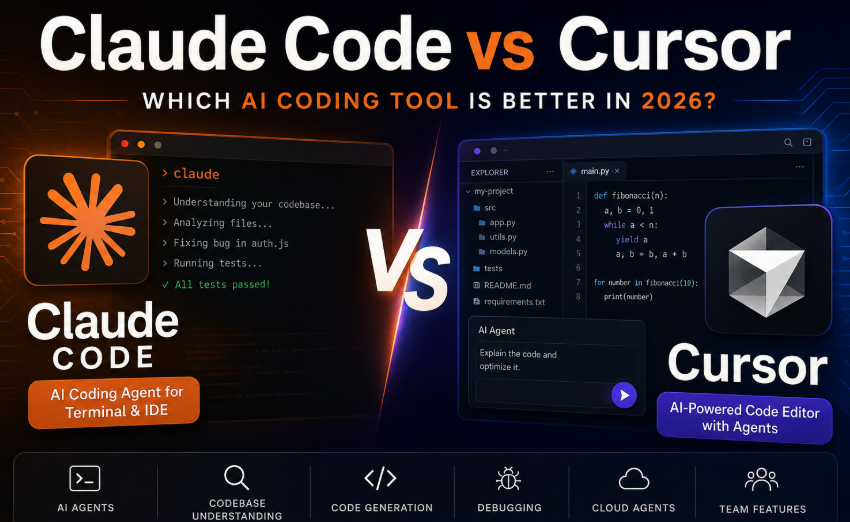
AI coding tools have quickly changed the way developers write, debug, test, and maintain software. Instead of manually writing every function, developers can now describe what they want in natural language and let an AI coding agent handle much of the implementation.
Two of the most popular options are Claude Code and Cursor.
While both tools can understand codebases, edit files, run commands, debug problems, and help developers complete complex programming tasks, they take different approaches.
Claude Code is built around Anthropic’s Claude models and has traditionally focused on a terminal-first, agentic development workflow. It can also be used inside supported IDEs, including VS Code, Cursor, and JetBrains IDEs.
Cursor, on the other hand, is an AI-powered code editor designed around an integrated development environment. It combines familiar editor features with AI chat, Agent workflows, codebase search, model selection, cloud agents, MCP, skills, hooks, and other development tools.
So, which one is better?
The answer depends on how you work.
For developers who prefer a terminal-first workflow and want a powerful coding agent closely integrated with Claude, Claude Code is an excellent choice.
For developers who want an AI-native editor with a visual interface, multiple model choices, integrated agents, and a broad set of development features, Cursor may be the better option.
Let’s compare Claude Code vs Cursor in detail.
What Is Claude Code?
Claude Code is Anthropic’s AI coding tool designed to work directly with your software projects.
It can operate from the terminal and can also be used in supported IDEs. Developers can ask it to understand a project, modify files, investigate bugs, run commands, work with Git, and complete larger coding tasks.
A major advantage of Claude Code is its agent-oriented workflow.
Instead of simply asking AI to generate a code snippet, you can give it a larger task such as:
“Find why user authentication is failing, identify the problem, fix it, run the relevant tests, and explain what you changed.”
Claude Code can then inspect the project and work through the task.
This makes it particularly attractive for developers who are comfortable working from a terminal.
Key Claude Code Features
- Terminal-based coding workflow
- Agentic coding tasks
- Codebase exploration
- File creation and editing
- Command execution
- Git and development workflow support
- MCP support
- Supported IDE integrations
- Claude Sonnet and Opus model access depending on plan
- Pro and Max subscription options
- API/usage-credit options for additional usage
Anthropic currently states that Claude Code is available with Pro and Max subscriptions, while Team and Enterprise plans also support Claude Code.
What Is Cursor?
Cursor is an AI-powered code editor designed to make AI assistance part of the development environment rather than a separate chatbot.
It provides an editor where developers can write code normally while using AI features for planning, generating code, editing files, debugging, searching the codebase, and running agentic tasks.
Cursor’s Agent can research a codebase, create plans, modify files, and work through longer development tasks. Its Plan Mode is specifically designed to research the project and create an actionable implementation plan before coding begins.
Cursor has also expanded beyond the traditional desktop editor. Its current feature set includes cloud agents, mobile access, plugins, MCP servers, hooks, skills, and other workflow integrations.
Key Cursor Features
- AI-native code editor
- Agent mode
- Plan Mode
- Multiple AI model choices
- Codebase indexing and search
- Inline code assistance
- Cloud agents
- MCP servers
- Plugins, skills, and hooks
- Bugbot
- Team and Enterprise features
- Web, desktop, CLI, and mobile workflows
This makes Cursor particularly appealing to developers who want AI assistance deeply integrated into their everyday coding environment.
Claude Code vs Cursor: Quick Comparison
| Feature | Claude Code | Cursor |
|---|---|---|
| Main approach | AI coding agent | AI-native code editor |
| Primary workflow | Terminal + IDE | Editor + Agent |
| Visual code editor | Not its primary focus | Yes |
| Agentic coding | Yes | Yes |
| Codebase understanding | Excellent | Excellent |
| Multiple model providers | More Claude-focused | Yes |
| Terminal workflow | Excellent | Excellent |
| IDE integration | Yes | Built around editor |
| Cloud agents | Available through Claude ecosystem/features | Yes |
| MCP | Yes | Yes |
| Git workflow | Strong | Strong |
| Best for | Terminal-first developers | AI-first editor users |
| Free option | Claude has a free plan, but Claude Code access is tied to paid plans | Hobby plan available |
| Entry paid pricing | Claude Pro: $20/month | Cursor Start in India: ₹649/month; Pro pricing varies by billing/region |
Cursor’s current pricing lists a free Hobby plan, paid individual plans, and team/enterprise options. In India, Cursor introduced the Start plan at ₹649/month, including higher usage, cloud agents, mobile access, and workflow extensions.
Anthropic lists Claude Pro at $20/month, while Max plans are currently $100/month and $200/month for the 5x and 20x tiers.
Claude Code vs Cursor: Coding Experience
Claude Code
Claude Code feels like having an AI developer working alongside you in the terminal.
You describe a task and the agent can inspect files, reason about the project, make changes, and use development commands.
This workflow can feel particularly natural for experienced developers who already spend a lot of time in terminals.
For example:
claude

> Find the authentication bug in this project.
> Fix it, run the tests, and explain the changes.
The advantage is that you can treat the AI more like an autonomous development assistant than a simple code completion tool.
Claude Code also provides a CLI that supports interactive sessions, continuing conversations, resuming sessions, and programmatic usage.
Best for Claude Code
Claude Code is especially attractive if you:
- Live in the terminal
- Work on large repositories
- Prefer command-line tools
- Want an agent to handle multi-step tasks
- Already use Claude heavily
- Prefer Anthropic’s models
- Want automation through CLI workflows
Cursor: Coding Experience
Cursor offers a more visual approach.
Instead of primarily interacting through a terminal, you work inside an AI-enhanced editor.
You can open a project, select a model, chat with the Agent, review file changes, edit code, inspect diffs, and continue working in the same interface.
Cursor’s Plan Mode can research a codebase and create a detailed plan before implementation. Developers can review or modify the plan before allowing the Agent to build it.
This can be easier for developers who prefer visual feedback.
Best for Cursor
Cursor is especially useful if you:
- Want an AI-first coding editor
- Prefer visual file and code navigation
- Want to switch between different AI models
- Frequently use inline editing
- Want built-in Agent workflows
- Need cloud agents
- Want AI tools integrated into one editor
- Prefer not to spend most of your development time in a terminal
Claude Code vs Cursor: AI Agents
Agentic coding is one of the biggest reasons developers are comparing these tools.
Both can perform tasks beyond simple code generation.
Claude Code Agent
Claude Code is fundamentally designed around agentic coding.
You can give it a high-level goal and allow it to investigate the repository, modify files, run commands, and iterate.
This makes it particularly powerful for tasks such as:
- Refactoring
- Debugging
- Writing tests
- Understanding unfamiliar repositories
- Implementing features
- Reviewing code
- Fixing build problems
Cursor Agent
Cursor’s Agent is similarly designed to handle multi-step development tasks.
Cursor has invested heavily in codebase search, planning, background/cloud agents, and workflow integrations.
Its current product lineup includes cloud agents that can work on tasks while you continue working elsewhere.
Which Has Better Agents?
There is no universal winner.
Claude Code may be better suited to developers who want a terminal-native, autonomous coding experience.
Cursor may be better suited to developers who want agentic coding combined with a visual editor and broader model selection.
Claude Code vs Cursor: Models
This is another important difference.
Claude Code is centered on Anthropic’s Claude family.
Depending on your plan, Claude Code users can access models such as Claude Sonnet and Claude Opus. Anthropic currently states that Pro users can use Sonnet 4, while Max users can use Sonnet or Opus 4 in Claude Code.
Cursor takes a broader model approach.
Its paid plans provide access to frontier models and its own Composer family, while Cursor Router can automatically select models based on factors such as intelligence, balance, and cost.
Winner for Model Variety: Cursor
If you want the ability to experiment with models from different providers, Cursor has the advantage.
If you specifically want the Claude ecosystem, Claude Code provides a more focused experience.
Claude Code vs Cursor: Pricing
Pricing is an important factor because AI coding can consume significant amounts of model usage.
Claude Code Pricing
Claude Code is included with eligible Claude subscriptions.
Anthropic currently lists:
- Pro: $20/month
- Max 5x: $100/month
- Max 20x: $200/month
The Max plans provide substantially more usage than Pro.
Anthropic also supports usage credits and API-based usage for users who need additional capacity.
Cursor Pricing
Cursor currently offers:
- Hobby: Free
- Start in India: ₹649/month
- Pro: Paid individual plan
- Pro+: Higher usage
- Ultra: High usage
- Teams: Team pricing
- Enterprise: Custom pricing
Cursor’s India-specific Start plan is particularly interesting for Indian developers because it costs ₹649/month and supports UPI payments.
Pricing Winner
For Indian developers looking for a relatively affordable paid entry point, Cursor Start is compelling.
For developers already paying for Claude Pro and wanting Claude Code as part of the same subscription, Claude Code provides strong value.
Claude Code vs Cursor: Which Is Better for Large Codebases?
Large repositories require more than good code generation.
An AI coding tool needs to locate relevant files, understand dependencies, maintain context, and make safe changes.
Both tools are designed for this type of workflow.
Claude Code’s terminal-first approach works particularly well when developers want to give the agent a large task and let it investigate the repository.
Cursor also offers strong codebase search and indexing. Cursor has continued improving Agent context selection, directory exploration, codebase search, and large-codebase workflows.
Winner: Tie
For large projects, your preferred workflow matters more than a simple feature checklist.
Claude Code vs Cursor for Beginners
If you are new to AI coding agents, Cursor may be easier to understand.
The visual interface makes it relatively straightforward to:
- Open a project.
- Ask the Agent a question.
- Review the proposed changes.
- Accept or modify the edits.
- Continue coding.
Claude Code can also be approachable, but its terminal-first workflow may require more familiarity with command-line development.
Winner for Beginners: Cursor
If you are learning AI-assisted programming, Cursor is generally the easier starting point.
Claude Code vs Cursor for Experienced Developers
Experienced developers may appreciate Claude Code’s terminal-centric design.
If your workflow already involves:
- Git
- Shell commands
- Docker
- CI/CD
- Testing
- Package managers
- SSH
- Remote servers
then Claude Code can fit naturally into that environment.
Cursor remains attractive if you prefer doing most development work inside an editor.
Winner for Experienced Terminal Users: Claude Code
Claude Code vs Cursor for Teams
Both tools have increasingly sophisticated team capabilities.
Cursor offers centralized team administration, usage analytics, team marketplaces, shared context, agentic code reviews, SSO, and enterprise controls.
Claude Code is available through Anthropic’s Team and Enterprise offerings, allowing organizations to use Claude Code alongside Claude’s broader ecosystem.
Winner: Depends on Your Stack
If your organization already uses Claude extensively, Claude Code may be the natural choice.
If your team wants an AI-first coding environment with multiple models and integrated agent workflows, Cursor may be more attractive.
Claude Code vs Cursor: Pros and Cons
Claude Code Pros
- Excellent terminal workflow
- Strong agentic coding experience
- Excellent for complex development tasks
- Deep integration with Claude
- Works with supported IDEs
- Strong Git and CLI workflows
- Good option for experienced developers
- Can work across large repositories
Claude Code Cons
- Terminal-first workflow isn’t ideal for everyone
- Claude-focused model ecosystem
- Heavy usage can require higher-tier plans
- Usage limits matter for intensive coding
- Beginners may need time to learn the workflow
Cursor Pros
- Excellent AI-powered editor
- Easy visual workflow
- Strong Agent functionality
- Multiple model options
- Plan Mode
- Cloud agents
- MCP, plugins, hooks, and skills
- Free Hobby plan
- Affordable India-specific Start plan
- Strong team and enterprise features
Cursor Cons
- Heavy Agent usage can consume plan allowances
- Pricing and usage can be complex
- Advanced features may require paid plans
- Developers who strongly prefer terminals may find the editor-centric approach less natural
Claude Code vs Cursor: Which One Should You Choose?
The easiest way to decide is to consider your development style.
Choose Claude Code if:
- You prefer the terminal.
- You already use Claude.
- You work on complex repositories.
- You want an autonomous coding agent.
- You frequently use Git and command-line tools.
- You want Claude models at the center of your workflow.
Choose Cursor if:
- You want an AI-native code editor.
- You prefer a visual interface.
- You want multiple AI model options.
- You want integrated Agent and Plan workflows.
- You want cloud agents.
- You want features such as plugins, MCP, hooks, and skills.
- You want a lower-cost India-specific entry plan.
Can You Use Claude Code Inside Cursor?
Yes.
This is an important point that is sometimes missed in Claude Code vs Cursor comparisons.
Anthropic states that Claude Code can be used in supported IDEs including Cursor, as well as VS Code and JetBrains IDEs.
That means you do not necessarily have to choose one exclusively.
A developer could use Cursor as their editor while also using Claude Code for particular terminal-based or agentic workflows.
This can be a powerful combination for developers who like Cursor’s interface but want direct access to Claude Code.
Claude Code vs Cursor: Final Verdict
So, Claude Code vs Cursor — which is better?
There is no single winner for every developer.
Cursor is the better choice for most developers who want an all-in-one AI coding environment. Its editor-first design, Agent features, model variety, cloud agents, and broader workflow integrations make it highly flexible.
Claude Code is the better choice for developers who prefer terminal-based development and want a powerful Claude-centered coding agent. It is especially appealing for experienced developers working on complex projects and automation-heavy workflows.
The good news is that you don’t necessarily need to make a permanent choice.
Because Claude Code can work with supported IDEs including Cursor, developers can combine the two tools and use each where it is strongest.
Our Overall Recommendation
Best AI coding editor: Cursor
Best terminal AI coding agent: Claude Code
Best for beginners: Cursor
Best for terminal-heavy developers: Claude Code
Best for model variety: Cursor
Best for Claude-focused workflows: Claude Code
Best budget option for Indian developers: Cursor Start
Ultimately, the best tool is the one that fits your existing development workflow. If you want an AI-powered editor that keeps everything in one interface, start with Cursor. If you want an AI agent that works naturally from the terminal, try Claude Code.
Frequently Asked Questions
Is Claude Code better than Cursor?
Not for everyone. Claude Code is particularly strong for terminal-based agentic development, while Cursor provides a more complete AI-powered editor experience. Your workflow should determine which is better.
Is Cursor better than Claude Code?
Cursor can be better if you want a visual AI coding environment, multiple model choices, Plan Mode, cloud agents, and integrated development features.
Can I use Claude Code with Cursor?
Yes. Anthropic officially supports Claude Code in Cursor and other supported IDEs.
Is Claude Code free?
Claude has a free plan, but Claude Code access for individual users is included with eligible paid Pro and Max plans.
How much does Claude Code cost?
Claude Code can be accessed through Claude Pro at $20/month or Max plans at $100/month and $200/month, depending on the usage tier.
How much does Cursor cost in India?
Cursor currently offers a Start plan in India for ₹649/month. It includes increased access to models such as Grok 4.5 and Composer, cloud agents, mobile access, and workflow extensions.
Which is better for beginners, Claude Code or Cursor?
Cursor is generally easier for beginners because its visual editor makes it easier to understand AI-generated changes and interact with the project.
Which is better for large projects?
Both are capable of working with large codebases. Claude Code is particularly attractive for terminal-driven workflows, while Cursor provides powerful codebase search and Agent tooling within an editor.
Can developers use both Claude Code and Cursor?
Yes. Using Cursor as the primary editor and Claude Code for terminal-based agentic tasks can be a practical workflow.
Conclusion
The Claude Code vs Cursor debate is really a comparison between two different approaches to AI-assisted software development.
Claude Code puts the AI agent at the center of a terminal-based workflow. Cursor puts the AI directly inside a modern code editor.
Neither approach is universally better.
If you want flexibility, visual development, multiple models, and an AI-native editor, Cursor is an excellent choice.
If you want a powerful terminal agent, deep Claude integration, and an automation-friendly development workflow, Claude Code is worth trying.
For many developers in 2026, the best answer may actually be both: use Cursor for everyday editing and visual development, and Claude Code when you need a dedicated agent to tackle larger terminal-based tasks.
SEO takeaway: The best AI coding tool isn’t necessarily the one with the most features. It is the one that helps you ship reliable software faster while fitting naturally into the way you already work.