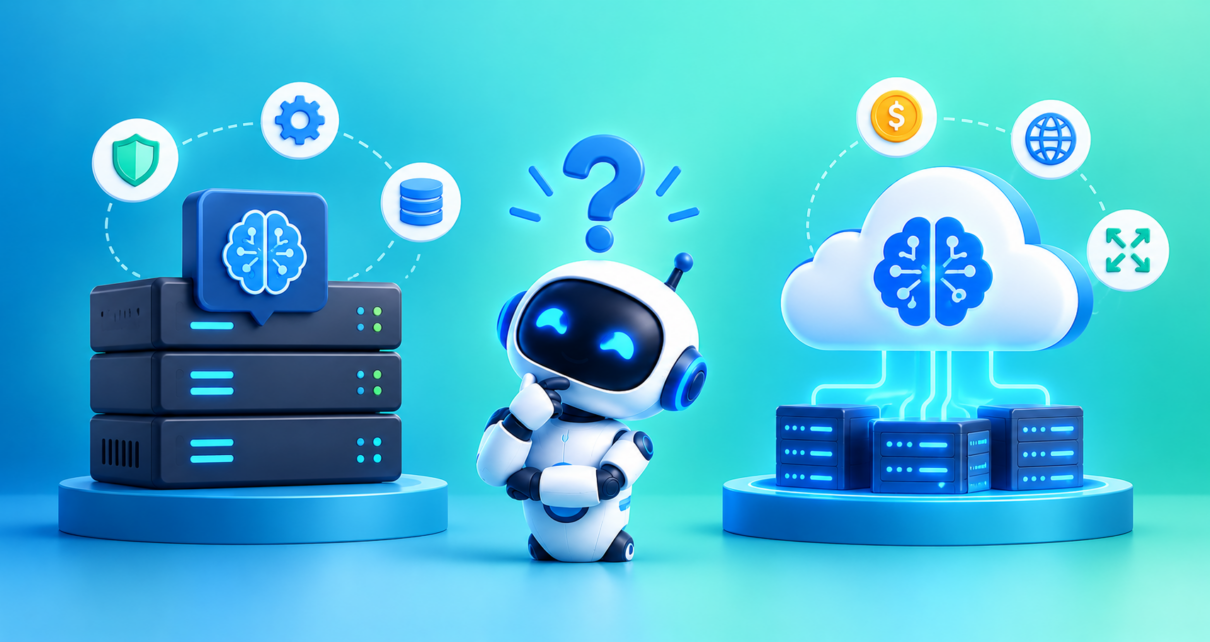
Artificial intelligence is becoming an essential part of modern technology. From AI writing tools and coding assistants to business automation and intelligent chatbots, AI is helping people work faster and solve complex problems. However, an important question remains: Should you run AI locally on your own device or use cloud-based AI services?
The debate around Local AI vs Cloud AI is about more than technology. It involves data privacy, performance, hardware requirements, operating costs, scalability, and the level of control you need.
Local AI allows you to run AI models on your computer, workstation, or private infrastructure. Cloud AI processes requests using remote servers managed by a service provider. Both approaches have advantages, and neither is the best choice for every situation.
For example, a developer may prefer local AI to experiment with code without sending prompts to an external service. A business may choose cloud AI to access powerful models without purchasing expensive hardware. Other organizations combine both approaches to balance privacy, cost, and performance.
In this guide, we will explain local AI vs cloud AI, compare their key differences, explore practical use cases, and help you choose the right approach for your needs.
What Is Local AI?
Local AI is artificial intelligence that processes data on hardware you control, such as a laptop, desktop computer, smartphone, workstation, or on-premises server.
Instead of sending every prompt to an external AI provider, the application runs its model locally. Once the model and required software are installed, supported tasks may work without an internet connection.
Local AI has become increasingly accessible because developers can download open-weight models and run them with tools designed for local inference.
For example, you can use Ollama or LM Studio to run compatible language models on your computer.
How Does Local AI Work?
A typical local AI workflow involves the following steps:
- Download or install a compatible AI model.
- Set up the required runtime or application.
- Provide a prompt, document, image, or other supported input.
- Let your local CPU, GPU, or neural processing unit perform the inference.
- Receive the result on your device.
The model’s size, available memory, hardware performance, and software compatibility determine what you can run effectively.
Benefits of Local AI
1. Greater control over data
When an application performs inference entirely locally, prompts and files do not need to be transmitted to an external model provider. This can be valuable when working with confidential documents or proprietary information.
However, local processing does not automatically make an application private. Telemetry, cloud-connected plugins, synchronization, or other integrations may still transmit information.
2. Offline access
Local AI can continue working without internet access after the necessary model and software have been installed. This makes it useful for travel, remote locations, and environments with unreliable connectivity.
3. Greater control over models
Users can choose supported models, change configurations, and manage model versions. Businesses can also customize local deployments to meet particular requirements.
4. Potentially predictable operating costs
After purchasing suitable hardware, you may avoid per-request inference charges. Nevertheless, electricity, maintenance, hardware replacement, and technical support still contribute to the total cost.
Limitations of Local AI
Local AI depends on your available computing resources. Larger models may require substantial RAM, GPU memory, storage, and processing power.
You are also responsible for software updates, system security, troubleshooting, and hardware maintenance. Local models may not match the capabilities of the most advanced cloud models on demanding reasoning, complex research, or specialized multimodal tasks.
What Is Cloud AI?
Cloud AI is artificial intelligence that runs on remote computing infrastructure managed by a cloud provider or AI service company.
Users access these models through websites, applications, APIs, or integrated business software. The provider handles much of the infrastructure needed to run the models.
Examples include cloud-based AI services such as ChatGPT, Google Gemini, and Anthropic Claude, although the exact deployment and data-handling arrangements vary by product.
How Does Cloud AI Work?
A typical cloud AI workflow follows these steps:
- You enter a prompt or submit data through an application.
- The application sends the request to the remote AI service.
- The provider processes the request using its infrastructure.
- The service returns the generated response.
- Your application displays or uses the result.
The underlying model may run on specialized accelerators in a data center, allowing users to access computing resources that would be impractical to maintain on a personal computer.
Benefits of Cloud AI
1. Access to powerful models
Cloud services can provide access to large models with advanced reasoning, coding, image understanding, and other capabilities, depending on the product and subscription.
2. No need to manage high-performance hardware
Users do not need to purchase and maintain their own GPU servers to access cloud-hosted models.
3. Flexible scalability
Cloud infrastructure can accommodate changing workloads more easily than a fixed-capacity local machine, subject to service quotas, availability, and pricing.
4. Easier integration
Many cloud AI providers offer APIs and integrations that developers can connect to websites, mobile applications, customer support systems, and business workflows.
5. Managed infrastructure
The provider handles much of the underlying hardware and service operation, reducing the amount of infrastructure maintenance required from customers.
Limitations of Cloud AI
Cloud AI generally requires an internet connection and sends requests to external infrastructure. Users should understand how the specific service handles data retention, access, security, and model training.
Costs may increase as usage grows, particularly for applications that make frequent API calls or process large amounts of text, images, or other data.
Cloud services can also experience outages, rate limits, or changes to models and pricing.
Local AI vs Cloud AI: Key Differences
The following table summarizes the most important differences between the two approaches.
| Comparison Factor | Local AI | Cloud AI |
| Processing location | Your device or controlled infrastructure | Provider-managed remote servers |
| Data privacy | Can keep inference data local | Requests are generally transmitted to the provider |
| Internet access | Can work offline when fully configured | Usually requires connectivity |
| Model capability | Limited by local hardware and available models | Can provide access to larger models and more computing resources |
| Speed | Avoids network round-trip time, but hardware may be slower | Depends on network latency, service processing, and model performance |
| Initial investment | May require suitable hardware | Often low to start |
| Ongoing costs | Electricity, maintenance, hardware, and support | Subscription, API usage, and related service fees |
| Scalability | Limited by installed capacity | Can scale more flexibly, subject to provider limits |
| Maintenance | Mostly your responsibility | Provider manages much of the infrastructure |
| Customization | Greater control over supported model configurations | Depends on the service and its customization options |
| Offline reliability | Possible for supported tasks | Dependent on service connectivity |
| Best use cases | Privacy-sensitive tasks, offline use, local experimentation | Advanced models, large workloads, and managed AI applications |
The key point is that processing location does not determine model quality by itself. A well-configured cloud service may outperform a local model on a complex task, while a small local model may be more than sufficient for simple classification or text processing.
Local AI vs Cloud AI: Which Is Better for Privacy?
Privacy is one of the most important factors when comparing local AI and cloud AI.
Local AI can offer stronger control over data movement because the model can process information without sending it to an external inference service.
For example, a developer could use a locally hosted language model to summarize internal documentation or analyze proprietary code, provided the entire workflow remains local.
Cloud AI involves transferring requests to a provider. Whether this is acceptable depends on the service’s security controls, data policies, contractual terms, and your organization’s requirements.
Enterprise cloud services may offer important safeguards, including access controls and contractual data protections. These should be evaluated for the particular service rather than assumed.
Which should you choose?
- Choose local AI when keeping prompts and files within your controlled environment is a priority.
- Choose cloud AI when the provider’s data protections meet your requirements and you need capabilities that are difficult to run locally.
- Consider hybrid AI when different types of data or tasks require different privacy and performance controls.
Remember that local AI is not automatically secure. Devices, local servers, backups, and downloaded model files still need appropriate protection.
Local AI vs Cloud AI: Cost Comparison
Cost is another major difference, but the cheapest option depends on your workload.
Local AI Costs
Running AI locally may involve:
- Purchasing a computer or GPU with sufficient resources.
- Paying for electricity and cooling.
- Maintaining hardware and software.
- Allocating time for configuration and troubleshooting.
- Replacing equipment when it becomes outdated.
For occasional experimentation, existing hardware may be sufficient for smaller models. Demanding workloads can require a more substantial investment.
Cloud AI Costs
Cloud AI costs may include:
- Monthly subscriptions.
- API charges based on input and output usage.
- Additional charges for tools, storage, or other services.
- Higher costs when usage or model requirements increase.
The advantage is that you can often begin without buying specialized hardware.
Which Is More Affordable?
Local AI may become economical when usage is high and consistent, provided the hardware is well utilized and operational costs remain reasonable.
Cloud AI may be more affordable for occasional use, unpredictable demand, or workloads that require expensive hardware only intermittently.
To compare them fairly, calculate the total cost of ownership over a defined period. Include hardware depreciation, electricity, maintenance, cloud usage, and the staff time needed to operate each solution.
Local AI vs Cloud AI: Performance and Speed
It is tempting to assume that local AI is always faster because it avoids an internet connection. In reality, performance depends on the complete system.
Local inference eliminates the network round trip to a remote provider, which can improve responsiveness. However, a large model running on a low-powered computer may generate responses slowly.
Cloud AI introduces network latency, but provider-managed infrastructure may have considerably more computing power than a personal device.
Performance also depends on model size, prompt length, output length, network quality, and service load.
For example, a small local model may respond quickly to a simple classification request, while a cloud model may be more suitable for complex reasoning or analyzing a long document.
The best way to compare speed is to test both options on the same representative tasks and measure response time alongside output quality.
Real-World Use Cases of Local AI and Cloud AI
Different industries can benefit from both deployment approaches.
1. Software Development
Developers can use local AI for code completion, code explanation, and working with sensitive source code when their local model is capable enough.
Cloud AI may be preferable for complex debugging, broader code analysis, or tasks requiring more advanced reasoning.
2. Content Creation and SEO
Content creators can use local models for brainstorming, basic rewriting, classification, and organizing notes.
Cloud AI may be useful for more demanding research, long-form drafting, advanced editing, and workflows that rely on connected tools.
For SEO, neither approach guarantees better rankings. Content quality, search intent, accuracy, originality, and useful information remain important.
3. Healthcare
Healthcare organizations may consider local inference for selected workflows involving sensitive information, subject to technical and regulatory requirements.
Cloud AI can also be appropriate when the provider meets the organization’s security, privacy, and compliance requirements.
Medical applications require careful validation and suitable professional oversight regardless of where the model runs.
4. Manufacturing and IoT
Local or edge AI can analyze sensor data near industrial equipment, helping systems respond even when internet connectivity is unreliable.
Cloud AI can aggregate information from multiple facilities, support large-scale analysis, and coordinate centralized reporting.
5. Business Automation
Local AI may help process internal documents or support workflows where data must remain within a controlled environment.
Cloud AI can power customer service applications, sales tools, and business integrations that benefit from managed infrastructure and scalable computing resources.
The right design depends on the sensitivity of the data, the need for real-time responses, and the complexity of the workflow.
What Is Hybrid AI? The Best of Both Worlds
Hybrid AI combines local and cloud processing in a single system.
Instead of choosing only one approach, a hybrid architecture assigns different tasks to the environment best suited to them.
For example, an application might use a local model for routine classification and sensitive text processing, then send approved requests to a cloud model when more advanced capabilities are needed.
A hybrid workflow could look like this:
- Receive a user request.
- Check its sensitivity and processing requirements.
- Handle suitable requests locally.
- Route approved requests to a cloud model when necessary.
- Return the result and apply the appropriate logging and security controls.
This architecture can balance privacy, capability, and cost. However, it introduces additional complexity, and cloud fallback must be explicitly designed so sensitive information is not transmitted unexpectedly.
Hybrid AI is especially useful for businesses with mixed workloads, varying performance requirements, and different data sensitivity levels.
How to Choose Between Local AI and Cloud AI
Before choosing a deployment method, evaluate these five factors.
1. Data sensitivity: Determine whether the data can be sent to an external provider under your privacy and security requirements.
2. Required model capability: Test whether an available local model can meet your quality requirements or whether you need a more capable cloud service.
3. Budget: Compare hardware and operational expenses with subscriptions and usage-based pricing.
4. Connectivity: Decide whether the application must continue operating when internet access is unavailable.
5. Technical expertise: Consider whether your team can maintain local infrastructure or would benefit from managed cloud services.
A practical strategy is to start with a small pilot. Choose a representative task, define success criteria, and compare both approaches using the same inputs.
Measure output quality, response time, total cost, reliability, and security requirements before committing to a larger deployment.
The Future of Local AI vs Cloud AI
Local and cloud AI are likely to remain complementary technologies.
As AI models become more efficient, more capable systems may run on personal devices and specialized hardware. At the same time, cloud providers will continue offering managed computing infrastructure for workloads that require significant resources.
Businesses may increasingly adopt hybrid architectures that process suitable data locally while using cloud models for tasks requiring greater capability or centralized coordination.
The future is therefore unlikely to be a simple contest in which one deployment method replaces the other. Instead, organizations will select different approaches according to their needs.
The most successful AI systems will combine appropriate model selection, efficient infrastructure, data protection, and clear operational controls.
Conclusion
The choice between Local AI vs Cloud AI depends on your priorities, workload, available hardware, and data requirements.
Local AI offers greater control over processing, potential offline operation, and the ability to run supported models without per-request cloud charges. However, it requires suitable hardware and ongoing maintenance.
Cloud AI provides convenient access to powerful models, flexible computing resources, and managed infrastructure. Its trade-offs include connectivity requirements, recurring costs, and the need to evaluate external data handling.
For individual developers and privacy-conscious users, local AI can be an excellent choice for suitable tasks. For businesses that need advanced models, easy integration, and flexible capacity, cloud AI may be more practical.
The best AI solution is the one that delivers the required quality, security, speed, and cost for your specific use case. In many situations, combining local and cloud AI provides the most balanced approach.
Frequently Asked Questions (FAQs)
1. What is the main difference between Local AI and Cloud AI?
Local AI runs models on your device or infrastructure you control. Cloud AI sends requests to remote infrastructure operated by an AI service provider.
2. Is Local AI better than Cloud AI?
Neither is universally better. Local AI is useful for controlled data processing and offline tasks, while cloud AI offers access to powerful models and flexible computing resources.
3. Is Local AI more private?
Local AI can reduce data transfers when the entire workflow stays local. However, applications may still transmit information through telemetry, integrations, or cloud-connected features. Security also depends on how the local system is configured.
4. Can Local AI work without the internet?
Yes. Local AI can work offline when the model, runtime, and required data are installed locally. Features that depend on web search or remote APIs will still require connectivity.
5. Is Local AI cheaper than Cloud AI?
It depends on usage. Local AI requires hardware, electricity, maintenance, and setup. Cloud AI generally involves subscription or usage-based costs. Compare total costs over the expected lifetime of your system.
6. Does Cloud AI always provide better answers?
No. Cloud services may offer more capable models, but quality depends on the model, task, context, and configuration. A smaller local model can perform well on specific, limited tasks.
7. Can I run AI models on a normal laptop?
Yes, many smaller models can run on compatible laptops. The experience depends on available memory, processor performance, GPU capabilities, model size, and optimization.
8. What is the difference between Local AI and Edge AI?
Local AI generally refers to running inference on hardware you control. Edge AI specifically emphasizes processing data on or near the device where it is generated, such as an industrial sensor or camera. The terms overlap.
9. What is Hybrid AI?
Hybrid AI combines local and cloud processing. It may use local models for routine or sensitive tasks and cloud models for more demanding requests, according to defined routing rules.
10. Which is better for businesses: Local AI or Cloud AI?
Cloud AI may suit businesses that need scalable infrastructure and advanced models. Local AI may be preferable for selected workloads involving offline access or strict data-control requirements. A hybrid approach can accommodate both needs.
11. Can Local AI replace ChatGPT?
Local models can replace some tasks performed by cloud-based AI assistants, depending on their capabilities. However, they may not provide the same reasoning performance, built-in tools, integrations, or access to current information.
12. What should I consider before deploying Local AI?
Evaluate hardware compatibility, model quality, privacy requirements, software maintenance, security, operating costs, and the level of technical support your team can provide.