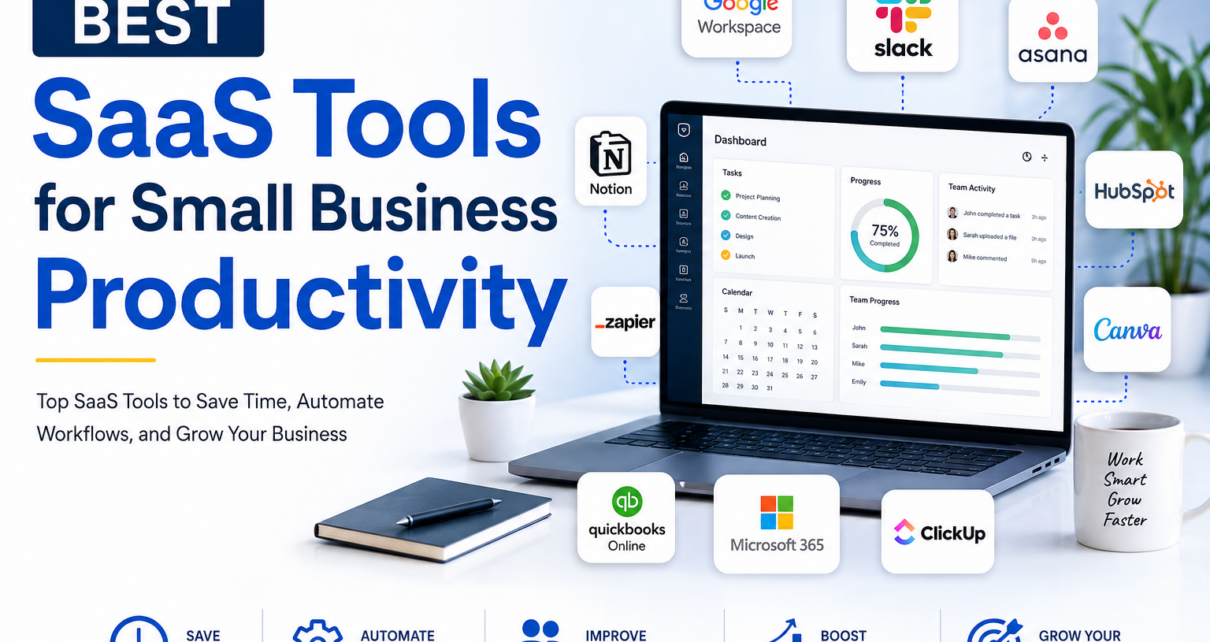
Running a small business means managing multiple responsibilities at once. From communication and project management to accounting, marketing, customer relationships, and team collaboration, business owners often have to do more with fewer people and limited resources.
This is where SaaS tools for small business productivity can make a major difference.
Software as a Service (SaaS) platforms allow businesses to access powerful software through the internet without installing or maintaining complicated systems. Instead of purchasing expensive software and managing servers, small businesses can subscribe to the tools they need and scale them as their business grows.
In 2026, SaaS platforms are becoming even more powerful because of AI, automation, integrations, cloud collaboration, and workflow management. The challenge is choosing the right tools without creating an expensive and complicated technology stack.
In this guide, we explore the best SaaS tools for small business productivity, including tools for communication, project management, documentation, automation, accounting, customer relationship management, design, and time management.
What Are SaaS Tools?
SaaS stands for Software as a Service. These are software applications hosted by a provider and accessed online, usually through a web browser or mobile application.
Instead of installing software on individual computers, businesses can log in and use the software from almost anywhere.
Common examples of SaaS products include:
- Google Workspace
- Microsoft 365
- Slack
- Asana
- Notion
- ClickUp
- Zapier
- HubSpot
- QuickBooks
- Canva
- Zoom
SaaS tools are particularly useful for small businesses because they can reduce upfront technology costs and make it easier for distributed teams to collaborate.
Why Small Businesses Need Productivity SaaS Tools
Small businesses often operate with limited employees, budgets, and time. Productivity software can help automate repetitive tasks and organize everyday operations.
The right SaaS tools can help businesses:
- Save time
- Reduce manual work
- Improve team communication
- Organize projects
- Automate repetitive workflows
- Manage customer relationships
- Store documents securely
- Track finances
- Improve collaboration
- Support remote and hybrid teams
- Make better business decisions
The key is not to subscribe to dozens of applications. A productive SaaS stack should be simple, connected, affordable, and easy for employees to use.
10 Best SaaS Tools for Small Business Productivity
1. Google Workspace – Best Overall Productivity Suite
Best for: Email, documents, cloud storage, collaboration, and communication
Google Workspace is one of the most comprehensive productivity platforms for small businesses.
It combines business email through Gmail with Google Drive, Docs, Sheets, Slides, Meet, Calendar, Chat, Forms, and other applications.
For small businesses, having these tools connected in one ecosystem can eliminate the need for multiple standalone applications. Teams can create documents, share files, schedule meetings, communicate, and collaborate in real time.
Google also continues to integrate AI capabilities into Workspace applications, including assistance across Gmail, Docs, Sheets, Meet, and Drive.
Key Features
- Professional business email
- Cloud storage
- Document collaboration
- Video meetings
- Shared calendars
- Spreadsheets and presentations
- Team communication
- AI-powered productivity features
- Mobile and desktop access
Why Choose Google Workspace?
It is an excellent choice for startups, agencies, consultants, freelancers, and small teams that want a complete productivity ecosystem.
Best for: Small businesses looking for an all-in-one productivity platform.
2. Microsoft 365 – Best for Microsoft-Centric Businesses
Best for: Office applications, business email, document management, and collaboration
Microsoft 365 is another powerful productivity ecosystem for small businesses.
It provides access to familiar applications such as Word, Excel, PowerPoint, Outlook, OneDrive, Teams, and other Microsoft services.
Businesses that already rely heavily on Microsoft Office can benefit from keeping documents, email, meetings, and collaboration within the same ecosystem.
Microsoft 365 is particularly useful for businesses that need advanced spreadsheet functionality, professional presentations, document creation, and enterprise-style collaboration.
Key Features
- Outlook business email
- Microsoft Word
- Excel
- PowerPoint
- OneDrive cloud storage
- Microsoft Teams
- Calendar and scheduling
- Collaboration tools
- AI-powered features through Microsoft’s evolving Copilot ecosystem
Why Choose Microsoft 365?
If your team already works with Word and Excel, Microsoft 365 can provide a familiar environment while adding cloud collaboration and modern productivity features.
Best for: Businesses already invested in Microsoft software.
3. Asana – Best Project Management SaaS
Best for: Project management, task tracking, workflows, and team coordination
Asana is designed to help teams organize work and manage projects from start to finish.
It allows businesses to create projects, assign tasks, set deadlines, track progress, and organize workflows.
Asana supports different project views, including lists, calendars, timelines, Gantt-style views, and boards. It also offers automation and AI-powered features for workflows and project updates.
Key Features
- Task management
- Project planning
- Deadlines
- Project timelines
- Kanban-style boards
- Calendar views
- Workflow automation
- Status updates
- AI-assisted project management
- Resource management
For example, a digital marketing agency could create an SEO project with tasks for keyword research, content creation, optimization, link building, review, and publishing.
Why Choose Asana?
Asana is especially useful when multiple people need to work together on projects and everyone needs visibility into responsibilities and deadlines.
Best for: Marketing agencies, startups, operations teams, and growing businesses.
4. Notion – Best for Knowledge Management
Best for: Documentation, notes, wikis, project organization, and internal knowledge
Notion combines documents, databases, notes, project management, and knowledge management into one flexible platform.
Small businesses can use Notion to build an internal company wiki, employee handbook, content calendar, meeting notes, SOP library, or project dashboard.
Its flexibility is one of its biggest advantages.
Key Features
- Company wiki
- Documentation
- Meeting notes
- Databases
- Task management
- Content calendars
- SOPs
- Knowledge management
- AI-powered assistance
- Templates
For a small company, Notion can become the central place where employees find information instead of repeatedly asking coworkers the same questions.
Why Choose Notion?
Choose Notion if your business needs a flexible workspace for organizing information and creating an internal knowledge base.
Best for: Startups, agencies, content teams, freelancers, and remote businesses.
5. Slack – Best for Team Communication
Best for: Internal messaging and team communication
Email is useful, but it is not always the best tool for quick internal communication.
Slack organizes team conversations into channels, direct messages, threads, and integrations.
Businesses can create channels for departments, clients, projects, campaigns, or specific initiatives.
For example:
- #marketing
- #sales
- #customer-support
- #website-project
- #client-project
- #general
Slack also integrates with many other SaaS applications, allowing notifications and workflow information to appear inside communication channels.
Key Features
- Team messaging
- Channels
- Direct messages
- File sharing
- Threads
- App integrations
- Notifications
- Workflow automation
- Searchable conversations
Why Choose Slack?
Slack can reduce unnecessary email and make team communication faster and more organized.
However, businesses should establish communication rules to prevent excessive notifications and constant interruptions.
Best for: Remote teams and businesses that need frequent internal communication.
6. ClickUp – Best All-in-One Work Management Tool
Best for: Tasks, projects, documents, goals, and team productivity
ClickUp aims to bring multiple productivity functions into one platform.
Depending on the business, teams can use ClickUp for task management, project planning, documentation, goals, dashboards, and workflows.
This can be particularly attractive to small businesses that want to reduce the number of separate SaaS subscriptions.
Key Features
- Task management
- Project management
- Documents
- Goals
- Dashboards
- Time tracking
- Automations
- Team collaboration
- AI features
- Multiple project views
Why Choose ClickUp?
ClickUp is a strong choice for teams that want a highly customizable work management platform.
The downside is that its large number of features can feel overwhelming for very small teams.
Best for: Growing businesses that want a centralized work management platform.
7. Zapier – Best for Workflow Automation
Best for: Connecting SaaS applications and automating repetitive tasks
One of the biggest productivity problems in small businesses is repetitive administrative work.
Zapier helps businesses connect different applications and automate workflows.
For example, when a customer fills out a website form, an automated workflow could:
- Add the customer to a CRM.
- Send an email notification.
- Create a task for the sales team.
- Add the lead to a spreadsheet.
- Send a Slack notification.
This type of automation can save employees from performing the same manual actions repeatedly.
Key Features
- App integrations
- Workflow automation
- Trigger-based workflows
- Multi-step automations
- Data transfer between applications
- Business process automation
- AI-assisted automation capabilities
Why Choose Zapier?
If your business uses several SaaS applications, Zapier can help connect them and reduce repetitive administrative work.
Best for: Small businesses looking to automate manual workflows.
8. HubSpot – Best for CRM and Sales Productivity
Best for: Customer relationship management, sales, and marketing
Managing customer information in spreadsheets becomes increasingly difficult as a company grows.
HubSpot provides CRM functionality that helps businesses organize contacts, sales activities, deals, marketing campaigns, and customer interactions.
For small businesses, a CRM can provide a centralized view of prospects and customers.
Key Features
- Contact management
- Lead management
- Sales pipelines
- Email tools
- Marketing automation
- Customer service features
- Reporting
- CRM dashboards
- Integrations
Why Choose HubSpot?
HubSpot is a strong option for businesses that want to improve their sales process and keep customer information organized.
Best for: Startups, agencies, service businesses, and sales teams.
9. QuickBooks Online – Best for Small Business Accounting
Best for: Accounting, invoices, expenses, and financial management
Financial administration can consume significant time for small business owners.
QuickBooks Online helps businesses manage accounting tasks through the cloud.
Depending on the plan and region, businesses can use accounting software for functions such as income and expense tracking, invoicing, financial reports, and other bookkeeping workflows.
Key Features
- Income tracking
- Expense management
- Invoicing
- Financial reports
- Bank integrations
- Tax-related organization
- Cloud access
Why Choose QuickBooks?
Automating and organizing financial processes can help business owners spend less time maintaining spreadsheets and more time focusing on growth.
Best for: Freelancers, agencies, service providers, and small companies.
10. Canva – Best for Business Design Productivity
Best for: Social media graphics, presentations, marketing materials, and visual content
Small businesses frequently need graphics for websites, social media, advertisements, presentations, proposals, and marketing campaigns.
Hiring a designer for every small visual task may not be practical.
Canva provides templates and easy-to-use design tools that allow non-designers to create professional-looking visual content.
Key Features
- Social media templates
- Presentations
- Posters
- Flyers
- Marketing graphics
- Brand assets
- Video creation
- Templates
- AI-assisted design features
Why Choose Canva?
Canva can significantly reduce the time needed to create everyday marketing materials.
Best for: Small businesses, marketers, agencies, content creators, and entrepreneurs.
SaaS Productivity Tools Comparison
| SaaS Tool | Best For | Main Benefit |
|---|---|---|
| Google Workspace | Business productivity | Complete collaboration ecosystem |
| Microsoft 365 | Office productivity | Word, Excel, Outlook, Teams |
| Asana | Project management | Tasks and workflows |
| Notion | Documentation | Knowledge management |
| Slack | Communication | Team messaging |
| ClickUp | Work management | All-in-one productivity |
| Zapier | Automation | Connects business apps |
| HubSpot | CRM | Sales and customer management |
| QuickBooks Online | Accounting | Financial organization |
| Canva | Design | Fast content creation |
How to Choose the Best SaaS Tools for Your Small Business
Choosing SaaS software should not be based only on the number of features.
Consider these factors before subscribing.
1. Identify Your Biggest Productivity Problem
First determine what is slowing your business down.
Is it:
- Too many emails?
- Poor project organization?
- Manual data entry?
- Difficult customer tracking?
- Financial administration?
- Lack of documentation?
- Repetitive marketing tasks?
Choose software that solves an actual business problem.
2. Consider Your Budget
SaaS subscriptions can quickly become expensive.
A small business may start with several inexpensive subscriptions, but costs can grow as employees and usage increase.
Calculate the total monthly and annual SaaS cost before adopting new software.
3. Look for Integrations
The best productivity tools should work well with the applications your business already uses.
For example, a CRM that connects with your email, calendar, website forms, and communication platform can eliminate duplicate work.
4. Prioritize Ease of Use
A tool with hundreds of features is useless if your employees do not use it.
Choose software that your team can learn quickly.
5. Check Scalability
Your software should be able to grow with your business.
Consider:
- Additional users
- Storage
- Advanced features
- Automation
- Security
- Integrations
- Administrative controls
6. Avoid SaaS Overload
More software does not automatically mean more productivity.
One common problem among small businesses is SaaS sprawl—using too many overlapping applications.
For example, you may not need separate tools for notes, documentation, project management, and task tracking if one platform can handle your requirements effectively.
The goal should be a lean SaaS stack, not the largest possible stack.
How AI Is Changing SaaS Productivity in 2026
Artificial intelligence is becoming an important part of modern SaaS platforms.
Instead of simply storing information or managing tasks, many applications now provide AI assistance for activities such as:
- Writing emails
- Summarizing meetings
- Creating documents
- Generating project updates
- Analyzing data
- Creating workflows
- Searching business information
- Drafting marketing content
- Automating repetitive tasks
Recent industry reporting also shows that established workplace platforms such as Google Workspace, Microsoft 365, Slack, Notion, Canva, and Zoom continue to incorporate AI rather than being replaced entirely by AI-native applications.
For small businesses, this means AI productivity features can increasingly be added to the tools employees already know.
Best SaaS Stack for a Small Business
A simple productivity stack could look like this:
Communication: Slack or Microsoft Teams
Email & Documents: Google Workspace or Microsoft 365
Project Management: Asana or ClickUp
Documentation: Notion
Automation: Zapier
CRM: HubSpot
Accounting: QuickBooks Online
Design: Canva
You do not necessarily need all of these.
A two- or three-person company may only need an email and collaboration suite, project management software, accounting software, and a few automation tools.
As the company grows, additional applications can be introduced when there is a clear need.
Benefits of Using SaaS Productivity Tools
When properly selected and implemented, SaaS tools can provide several benefits.
Lower Upfront Costs
Businesses can generally subscribe to software instead of making large upfront infrastructure investments.
Remote Accessibility
Employees can access cloud applications from different locations and devices.
Easier Collaboration
Teams can work on shared documents, projects, and workflows.
Automation
Repetitive tasks can be automated, reducing manual work.
Scalability
Businesses can often add users and features as they grow.
Faster Updates
Cloud-based software is maintained and updated by the provider.
Better Visibility
Project management, CRM, accounting, and analytics platforms can give owners better visibility into business operations.
Final Thoughts
The best SaaS tools for small business productivity are not necessarily the platforms with the most features. They are the tools that solve real problems, reduce repetitive work, improve collaboration, and fit naturally into your team’s daily workflow.
For most small businesses, a strong starting point could include Google Workspace or Microsoft 365 for core productivity, Asana or ClickUp for project management, Notion for documentation, Zapier for automation, HubSpot for CRM, QuickBooks Online for accounting, and Canva for design.
However, avoid subscribing to everything at once.
Start by identifying your biggest productivity bottleneck. Choose one tool to solve that problem, measure whether it saves time or improves results, and then expand your SaaS stack only when necessary.
In 2026, the biggest productivity advantage is not simply having more software. It is building a connected, automated, AI-enabled, and easy-to-use SaaS ecosystem that allows your small business to accomplish more with less effort.
Frequently Asked Questions
What are the best SaaS tools for small businesses?
Some of the best SaaS tools for small businesses include Google Workspace, Microsoft 365, Asana, Notion, Slack, ClickUp, Zapier, HubSpot, QuickBooks Online, and Canva. The best choice depends on your business requirements, team size, budget, and existing software.
What is the best productivity tool for a small business?
Google Workspace is an excellent overall productivity solution because it combines business email, documents, cloud storage, video meetings, calendars, and collaboration tools.
For project management, Asana and ClickUp are strong choices. For automation, Zapier is useful, while Notion is well suited for documentation and knowledge management.
Are SaaS tools worth it for small businesses?
Yes. SaaS tools can be valuable when they solve specific operational problems, reduce manual work, improve collaboration, or save employees time. However, businesses should regularly review subscriptions to avoid paying for unnecessary or overlapping software.
How many SaaS tools does a small business need?
There is no ideal number. A very small business may only need three to five core applications, while a growing company may require more specialized tools.
The important thing is to avoid unnecessary duplication.
Are SaaS tools secure?
Many established SaaS providers offer business-grade security features, but businesses are still responsible for using strong passwords, multi-factor authentication, appropriate permissions, employee training, and sensible data-management practices.
Can SaaS tools help remote teams?
Absolutely. Cloud-based SaaS platforms are particularly useful for remote teams because employees can access shared documents, projects, communication channels, calendars, and business systems from different locations.