


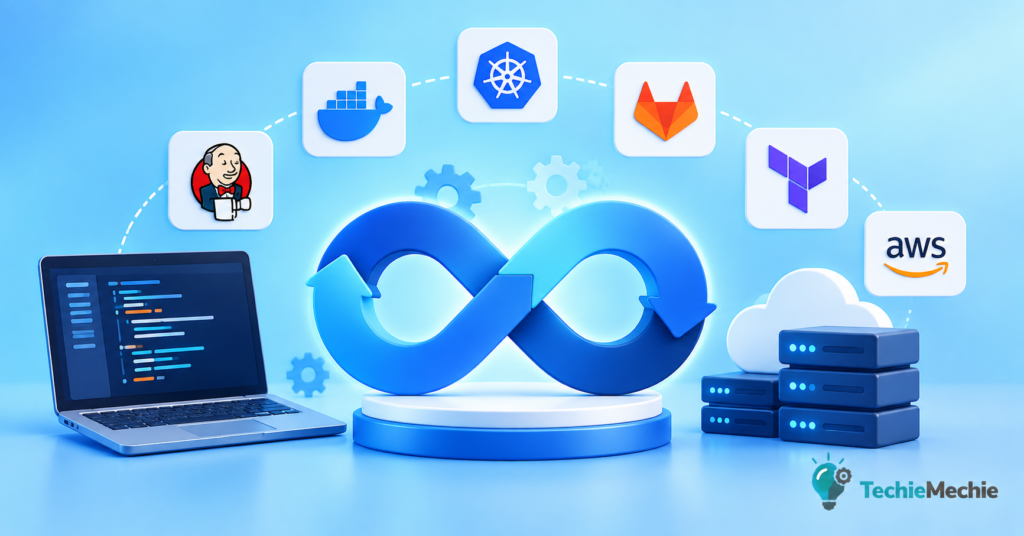
Modern software teams are expected to release features faster, maintain reliable applications, improve security, and keep infrastructure costs under control. That is why DevOps tools have become an essential part of the software development lifecycle.
But there is one problem: there are hundreds of DevOps tools available in 2026.
Which ones are actually worth using?
In this guide, we’ll explore the best DevOps tools in 2026 for CI/CD, containers, infrastructure automation, Kubernetes, GitOps, monitoring, security, testing, and developer productivity. The goal is not simply to provide a list, but to explain what each tool does, who should use it, and how it can help teams develop and deploy software faster.
Current 2026 DevOps guides consistently highlight tools such as GitHub Actions, GitLab CI/CD, Docker, Kubernetes, Terraform, Ansible, Argo CD, Prometheus, Grafana, Datadog, and security tools such as Snyk and Trivy.
What Are DevOps Tools?
DevOps tools are software platforms that help development and operations teams automate different parts of the software delivery process.
They can help teams:
- Manage source code
- Automatically build applications
- Run automated tests
- Deploy applications
- Manage cloud infrastructure
- Package applications into containers
- Monitor production systems
- Detect security vulnerabilities
- Manage Kubernetes clusters
- Automate repetitive tasks
- Track application performance
- Respond to incidents
Instead of developers manually moving code from development to production, a modern DevOps toolchain can automate much of this process.
A typical workflow might look like:
Code → Build → Test → Security Scan → Containerize → Deploy → Monitor → Improve
This automation is one of the main reasons DevOps helps organizations release software more frequently and reliably.
Best DevOps Tools in 2026: Quick Comparison
| Tool | Category | Best For |
| GitHub Actions | CI/CD | GitHub-based development teams |
| GitLab CI/CD | CI/CD | Integrated DevSecOps |
| Jenkins | CI/CD | Highly customizable pipelines |
| Docker | Containers | Application containerization |
| Kubernetes | Orchestration | Running containers at scale |
| Terraform | Infrastructure as Code | Cloud infrastructure automation |
| Pulumi | Infrastructure as Code | Developers who prefer programming languages |
| Ansible | Automation | Server and configuration automation |
| Argo CD | GitOps | Kubernetes deployments |
| Prometheus | Monitoring | Metrics and alerting |
| Grafana | Observability | Dashboards and visualization |
| Datadog | Observability | Managed monitoring and APM |
| Snyk | DevSecOps | Developer-focused security |
| Trivy | Security | Container and infrastructure scanning |
| Backstage | Platform Engineering | Internal developer portals |
There is no single tool that is best for every organization. The right DevOps stack depends on your team size, cloud platform, application architecture, security requirements, budget, and technical expertise.
1. GitHub Actions — Best CI/CD Tool for GitHub Teams
Best for: Continuous integration and continuous deployment
GitHub Actions has become one of the most popular choices for teams that already use GitHub.
It allows developers to automate workflows directly from their GitHub repositories.
For example, when a developer pushes new code, GitHub Actions can automatically:
- Build the application
- Run unit tests
- Perform security checks
- Build a Docker image
- Deploy the application
- Notify the development team
This eliminates many manual steps.
GitHub Actions is particularly attractive because it is tightly integrated with GitHub repositories and provides a large ecosystem of reusable workflow components.
The 2026 CNCF/SlashData research also places GitHub Actions among the workflow automation technologies developers strongly recommend, with 91% of surveyed developers saying they would recommend it to peers.
Why choose GitHub Actions?
- Easy GitHub integration
- YAML-based workflows
- Large ecosystem
- Supports self-hosted runners
- Excellent for automated testing
- Works with containers and cloud platforms
- Good choice for small teams and startups
Best choice for: Teams already using GitHub.
2. GitLab CI/CD — Best All-in-One DevOps Platform
Best for: Integrated development, security, and deployment
GitLab takes a different approach by combining several DevOps capabilities into one platform.
GitLab can provide:
- Source code management
- CI/CD
- Security scanning
- Package management
- Deployment automation
- Project management
- Container registries
This can reduce the number of separate services a team needs to manage.
GitLab CI/CD is especially useful for organizations that want a more integrated DevOps platform rather than assembling many independent tools.
Why choose GitLab CI/CD?
- Integrated DevSecOps capabilities
- Built-in CI/CD
- Source control
- Security features
- Container registry
- Self-managed options
- Strong enterprise capabilities
Best choice for: Organizations looking for an integrated DevOps platform.
3. Jenkins — Best for Custom CI/CD Pipelines
Best for: Flexible, self-hosted automation
Jenkins is one of the oldest and most established CI/CD automation platforms.
Although newer tools have become popular, Jenkins remains important because of its enormous plugin ecosystem and flexibility.
Jenkins can connect with:
- GitHub
- GitLab
- Docker
- Kubernetes
- AWS
- Azure
- Google Cloud
- Testing frameworks
- Security tools
The downside is that Jenkins generally requires more infrastructure management and maintenance than cloud-hosted CI/CD solutions.
Current 2026 research still shows Jenkins as a major CI/CD platform, although GitHub Actions has stronger momentum in many newer workflows.
Why choose Jenkins?
- Extremely customizable
- Huge plugin ecosystem
- Self-hosted
- Open source
- Supports complex enterprise workflows
Best choice for: Organizations requiring maximum control over CI/CD infrastructure.
4. Docker — Best Containerization Tool
Best for: Packaging applications consistently
Docker changed the way developers build and deploy applications.
Instead of installing an application and all its dependencies manually on a server, developers can package the application into a container.
A Docker container can include:
- Application code
- Runtime
- Libraries
- Dependencies
- Configuration
This makes applications easier to move between development, testing, and production environments.
For example:
Developer laptop → Testing environment → Cloud → Production
The application can run using the same container image across these environments.
Docker remains one of the foundational technologies in modern DevOps stacks and is frequently paired with Kubernetes.
Why choose Docker?
- Easy application packaging
- Consistent environments
- Fast startup
- Works with Kubernetes
- Excellent developer experience
- Large ecosystem
Best choice for: Almost every modern software team working with containers.
5. Kubernetes — Best for Container Orchestration
Best for: Running containers at scale
Docker helps package applications, but organizations need another layer when they have hundreds or thousands of containers.
That’s where Kubernetes comes in.
Kubernetes can automate:
- Container deployment
- Scaling
- Service discovery
- Load balancing
- Health checks
- Rolling updates
- Self-healing
- Configuration management
For example, if an application suddenly receives millions of requests, Kubernetes can automatically increase the number of application instances based on configured policies.
However, Kubernetes is powerful but complex.
Not every project needs it.
For a small application, a simpler deployment platform may be more appropriate. Kubernetes becomes particularly valuable when teams need sophisticated orchestration, portability, scaling, or multi-service management.
Kubernetes continues to be one of the most important technologies in the 2026 DevOps ecosystem.
Why choose Kubernetes?
- Automated scaling
- High availability
- Self-healing
- Container orchestration
- Cloud portability
- Huge ecosystem
Best choice for: Medium-to-large applications and complex containerized environments.
6. Terraform — Best Infrastructure as Code Tool
Best for: Automating cloud infrastructure
Infrastructure as Code, commonly called IaC, allows developers and DevOps engineers to define infrastructure using configuration files.
Instead of manually creating:
- Servers
- Networks
- Databases
- Load balancers
- Security rules
teams can define infrastructure as code and manage it through version control.
Terraform is one of the most widely used IaC tools.
For example, a team can use Terraform to create infrastructure across AWS, Azure, Google Cloud, and other providers.
Why Terraform is useful
- Infrastructure becomes reproducible
- Changes can be reviewed
- Infrastructure can be version controlled
- Easier disaster recovery
- Reduces manual configuration
- Supports multi-cloud environments
Terraform remains a leading IaC option in current 2026 comparisons.
Best choice for: Teams managing cloud infrastructure through code.
7. Pulumi — IaC for Developers
Best for: Infrastructure automation using familiar programming languages
Pulumi provides an alternative approach to Infrastructure as Code.
Instead of relying primarily on a domain-specific configuration language, developers can use programming languages such as:
- TypeScript
- Python
- Go
- C#
This can make infrastructure automation more familiar to software developers.
Terraform vs Pulumi
Terraform:
- Large ecosystem
- Mature
- Widely adopted
- Declarative configuration
Pulumi:
- Uses familiar programming languages
- Powerful abstractions
- Developer-friendly
- Flexible infrastructure logic
Both are strong options in 2026. The better choice often depends on your team’s existing skills and infrastructure strategy.
8. Ansible — Best for Configuration Automation
Best for: Server configuration and repetitive IT tasks
Ansible is designed to automate tasks such as:
- Installing software
- Configuring servers
- Managing users
- Updating systems
- Deploying applications
- Managing infrastructure
One of Ansible’s biggest advantages is its simplicity.
It uses YAML-based playbooks, which are relatively easy to understand.
Why teams use Ansible
- Agentless architecture
- Easy-to-read YAML
- Simple automation
- Good for server configuration
- Strong enterprise ecosystem
Ansible continues to appear among the core DevOps tools recommended for 2026.
9. Argo CD — Best GitOps Tool
Best for: Kubernetes continuous delivery
GitOps has become an important part of modern cloud-native development.
The basic idea is simple:
Git becomes the source of truth for infrastructure and application configuration.
Argo CD watches Git repositories and automatically synchronizes Kubernetes environments with the desired configuration.
This approach can make deployments more:
- Automated
- Auditable
- Reproducible
- Consistent
Argo CD is increasingly important for Kubernetes-based organizations, and 2026 ecosystem research continues to identify it as a strong workflow automation and GitOps technology.
Best choice for: Kubernetes teams adopting GitOps.
10. Prometheus — Best Open-Source Monitoring Tool
Best for: Metrics and alerting
Once your application reaches production, you need to know what is happening.
Prometheus collects metrics such as:
- CPU usage
- Memory usage
- Request rates
- Error rates
- Response times
- Application performance
Teams can create alerts when specific thresholds are reached.
For example:
CPU usage is above 90% for five minutes.
The team can then investigate before the problem becomes a major outage.
Prometheus is frequently paired with Grafana.
11. Grafana — Best Monitoring Dashboard
Best for: Visualization and observability
Grafana turns monitoring data into easy-to-understand dashboards.
You can use it to visualize:
- Server performance
- Application metrics
- Kubernetes clusters
- Database performance
- Network traffic
- Business metrics
A common open-source observability stack is:
Prometheus → Grafana → Alerts
Grafana is widely used alongside Prometheus in modern DevOps environments.
12. Datadog — Best Managed Observability Platform
Best for: Teams that want centralized monitoring without managing the entire observability stack themselves
Datadog provides monitoring and observability capabilities across infrastructure and applications.
It can help teams monitor:
- Servers
- Containers
- Kubernetes
- Applications
- Logs
- Databases
- Cloud infrastructure
- Security
The biggest advantage is convenience. Instead of assembling and operating multiple monitoring systems yourself, teams can use a managed platform.
Best for
- Large development teams
- Cloud-native companies
- Organizations requiring centralized observability
- Teams that want less monitoring infrastructure to maintain
Datadog remains one of the frequently recommended managed observability choices in 2026.
13. Snyk — Best Developer-Focused Security Tool
Best for: Finding vulnerabilities during development
Security should not be something teams check only after software reaches production.
Modern DevSecOps brings security earlier into the development lifecycle.
Snyk can help developers identify vulnerabilities in:
- Open-source dependencies
- Containers
- Infrastructure as Code
- Application code
This approach is often called shift-left security.
Instead of discovering a vulnerability after deployment, developers can find it while writing or testing code.
14. Trivy — Best Lightweight Security Scanner
Best for: Container and cloud-native security scanning
Trivy is a popular open-source security scanner used for finding vulnerabilities in container images and other artifacts.
It can be integrated into CI/CD pipelines.
For example:
Developer commits code → Build image → Trivy scans image → Pipeline continues only if security requirements pass
This makes security part of the automated software delivery process.
Trivy continues to appear among commonly recommended DevSecOps tools for modern teams.
15. Backstage — Best Developer Portal
Best for: Platform engineering and developer experience
As organizations adopt more DevOps tools, another problem appears:
Developers have too many systems to manage.
They may need to work with:
- Git repositories
- Kubernetes
- CI/CD
- Cloud accounts
- Documentation
- Monitoring
- Infrastructure
Backstage provides an internal developer portal that can bring information and services together in one place.
This is especially useful for larger organizations with platform engineering teams.
The rise of platform engineering is an important part of the 2026 DevOps landscape.
Final Verdict: What Are the Best DevOps Tools in 2026?
The best DevOps tools in 2026 are not necessarily the tools with the longest feature lists. The best tools are those that fit naturally into your development workflow and reduce unnecessary manual work.
For many teams, a strong starting point is:
GitHub Actions + Docker + Terraform + Kubernetes + Argo CD + Prometheus + Grafana
For security, add tools such as:
Snyk + Trivy
For larger organizations focused on developer experience:
Backstage + Kubernetes + GitOps
And if your team wants managed observability, Datadog can reduce the operational burden of maintaining a complete monitoring stack.
The broader 2026 ecosystem is moving toward automation, GitOps, platform engineering, DevSecOps, observability, and AI-assisted infrastructure.
The most important lesson is simple:
Don’t build your DevOps stack around the maximum number of tools. Build it around the minimum number of tools that can reliably automate your software delivery process.
That approach can help development teams ship faster, reduce deployment risk, improve reliability, and spend more time building software instead of managing repetitive infrastructure tasks.
Frequently Asked Questions About DevOps Tools in 2026
1. What are the best DevOps tools in 2026?
Some of the best DevOps tools in 2026 include GitHub Actions, GitLab CI/CD, Jenkins, Docker, Kubernetes, Terraform, Ansible, Argo CD, Prometheus, Grafana, Snyk, Trivy, and Backstage. The right choice depends on your project’s requirements, team size, cloud environment, budget, and technical expertise.
2. Which DevOps tool is best for CI/CD in 2026?
GitHub Actions is one of the best CI/CD tools for teams using GitHub because it integrates directly with repositories and supports automated builds, testing, security checks, and deployments. GitLab CI/CD and Jenkins are also strong choices for organizations with different workflow and customization requirements.
3. Is Kubernetes still worth learning in 2026?
Yes. Kubernetes remains an important technology for managing containerized applications at scale. It is particularly valuable for DevOps engineers, cloud engineers, platform engineers, and developers working with complex cloud-native applications. However, smaller projects may not need Kubernetes.
4. Is Docker a DevOps tool?
Yes. Docker is a core part of many DevOps workflows. It allows developers to package applications and their dependencies into portable containers, making applications easier to build, test, deploy, and run consistently across different environments.
5. What is the best Infrastructure as Code tool in 2026?
Terraform is one of the most widely used Infrastructure as Code tools in 2026. It allows teams to define and manage cloud infrastructure through code. Pulumi is another strong option, particularly for developers who prefer using programming languages such as Python, TypeScript, Go, or C#.
6. What is the difference between Terraform and Ansible?
Terraform is primarily used to **provision and manage infrastructure**, while Ansible is commonly used for **configuration management and automation**.
For example, Terraform can create a cloud server, network, and database, while Ansible can configure the server, install software, and deploy an application.
7. Which DevOps tools are best for beginners?
Beginners can start with Git, GitHub, Docker, GitHub Actions, Linux, Terraform, and basic Kubernetes. It is better to learn these tools step by step rather than trying to master an entire DevOps toolchain at once.
8. What are the best DevSecOps tools in 2026?
Popular DevSecOps tools include Snyk, Trivy, SonarQube, GitLab security features, and cloud-native security platforms. These tools can help teams detect vulnerabilities in source code, dependencies, containers, and infrastructure before applications reach production.
9. What is GitOps and which tool is best for it?
GitOps is an approach where Git acts as the source of truth for application and infrastructure configuration. Argo CD is one of the leading GitOps tools, particularly for Kubernetes environments. Flux is another popular option.
10. What is the best monitoring tool for DevOps?
There is no single monitoring tool that is best for every organization. Prometheus is an excellent open-source option for collecting metrics, while Grafana is widely used to visualize monitoring data. Managed platforms such as Datadog can provide a broader observability experience with less infrastructure to maintain.
11. Can DevOps tools help developers release software faster?
Yes. DevOps tools can automate repetitive activities such as building applications, running tests, scanning for vulnerabilities, creating containers, provisioning infrastructure, deploying software, and monitoring production systems. Automation can reduce manual errors and shorten the time between writing code and releasing it.
12. Will AI replace DevOps engineers in 2026?
AI is unlikely to completely replace DevOps engineers. Instead, AI is increasingly being used to automate repetitive tasks, analyze logs, identify anomalies, assist with infrastructure configuration, and support incident response. DevOps professionals still need to make architectural decisions, manage reliability and security, and understand the business requirements behind technical systems.
13. How many DevOps tools should a company use?
There is no ideal number of DevOps tools. Companies should focus on building a simple toolchain that covers essential requirements such as source control, CI/CD, infrastructure automation, security, deployment, and observability. Using too many overlapping tools can increase complexity and maintenance costs.
14. What is the best DevOps toolchain for a small startup?
A small startup could begin with GitHub for source control, GitHub Actions for CI/CD, Docker for containers, Terraform for infrastructure, and a simple cloud deployment platform. As the application grows, the team can add Kubernetes, Argo CD, Prometheus, Grafana, or specialized security tools when they are actually needed.
15. What are the major DevOps trends in 2026?
Major DevOps trends in 2026 include AI-assisted DevOps, platform engineering, GitOps, DevSecOps, cloud-native development, infrastructure automation, observability, and FinOps. These trends are pushing DevOps toward greater automation, self-service infrastructure, stronger security, and more intelligent software delivery.