


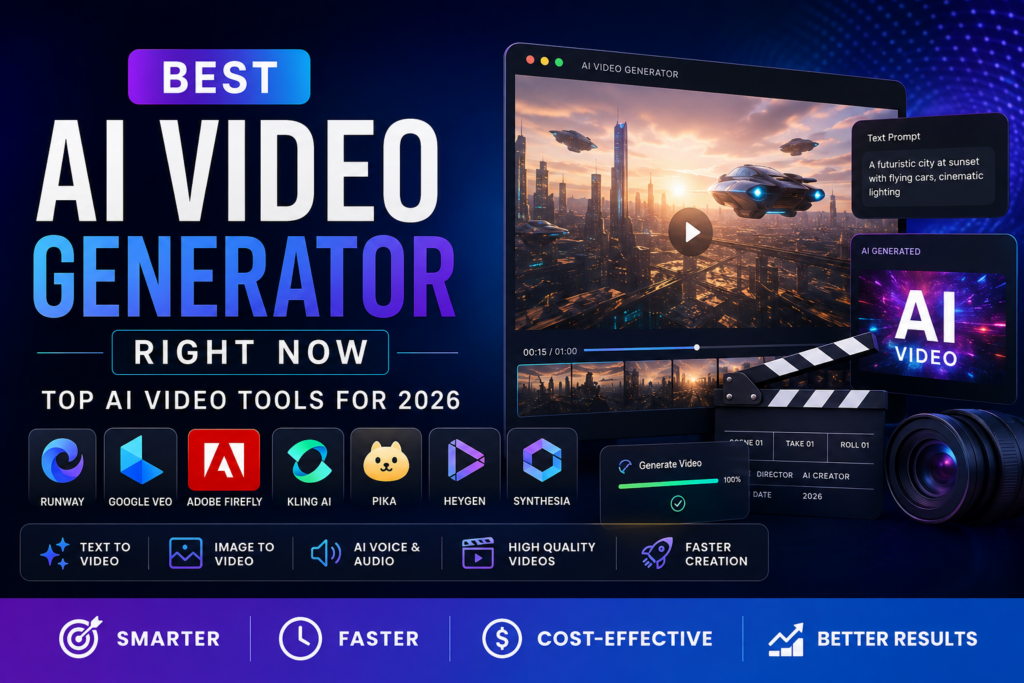
AI video generation has changed dramatically in a short time. What once required expensive cameras, editing software, actors, locations, and hours of production can now begin with a simple text prompt or an image.
In 2026, AI video generators can create cinematic scenes, product videos, social media clips, marketing advertisements, animated visuals, talking presenters, and even videos with generated dialogue and sound effects.
But with so many tools available, choosing the best AI video generator right now can be difficult.
There is no single tool that is perfect for every creator. Some platforms are better for cinematic video generation, while others are designed for AI avatars, business presentations, social media content, or professional editing.
In this guide, we compare the leading AI video generators available right now and explain what each tool does best.
What Is an AI Video Generator?
An AI video generator is software that uses artificial intelligence to create or modify video content.
Instead of recording everything manually, you can provide an instruction such as:
“Create a cinematic shot of a futuristic city at sunset with flying cars and people walking through a busy street.”
The AI model interprets the prompt and generates a video based on the requested subject, movement, environment, camera angle, lighting, and visual style.
Modern AI video tools can also work with images. You can upload a product photograph, character design, illustration, or other reference image and ask the AI to animate it.
Some advanced platforms can also generate dialogue, sound effects, ambient audio, and music.
How We Chose the Best AI Video Generators
To determine the best AI video generator right now, it is important to look beyond impressive demonstrations.
We considered several factors:
- Video quality
- Realistic motion
- Prompt accuracy
- Character consistency
- Image-to-video capabilities
- Audio generation
- Editing features
- Ease of use
- Commercial-use options
- Creative control
- Value for money
- Suitability for different types of creators
Because AI video technology changes quickly, rankings can change as new models and features are released.
Best AI Video Generators Right Now
Here are some of the strongest options to consider in 2026:
| AI Video Generator | Best For | Key Strength |
|---|---|---|
| Google Veo 3.1 | Realistic cinematic videos | Video + native audio |
| Runway | Professional creators | Generation and AI editing |
| Adobe Firefly | Businesses and marketers | Multi-model workflow and commercial-safe Firefly model |
| Kling AI | Value-focused creators | Strong video generation capabilities |
| Pika | Social media creators | Creative effects and short-form content |
| HeyGen | AI presenters | Talking avatars and business videos |
| Synthesia | Corporate training | Professional AI presenters |
| Luma AI | Creative video production | Cinematic generation and iteration |
1. Google Veo 3.1 – Best Overall for Realistic AI Video
If your priority is realistic AI-generated footage, Google Veo 3.1 is one of the strongest choices available right now.
Google describes Veo 3.1 as its leading video generation model and highlights its ability to create video with audio. It supports text-to-video and image-to-video workflows and focuses heavily on realism, prompt adherence, consistency, and creative control.
One of Veo’s biggest advantages is native audio generation.
Instead of generating silent video and adding sound separately, supported Veo workflows can generate dialogue, sound effects, and ambient audio along with the video.
Best for
- Cinematic videos
- Realistic people and environments
- Storytelling
- Social media videos
- Short films
- Product demonstrations
- Visual experiments
Pros
- Excellent realism
- Strong prompt understanding
- Native audio generation
- Text-to-video and image-to-video
- Strong physics and motion
Cons
- Generation limits depend on the access method and plan
- High-quality generation can require paid access
- Short generated clips still need editing for longer projects
Verdict: If realistic visuals and synchronized audio are your priorities, Veo 3.1 is one of the best AI video generators to try right now.
2. Runway – Best AI Video Generator for Professional Creators
Runway AI Video Generator is one of the most established names in generative video.
Runway is particularly useful because it combines generation with AI-powered editing. You can start with text, an image, or an existing video and then refine the result.
Its current platform provides access to Runway models alongside other leading video models, including Veo, Kling, and other models, depending on the available workflow.
Runway also focuses heavily on consistency. Its Gen-4 technology was designed to maintain consistent characters, locations, and objects across scenes.
That makes it especially useful for storytelling and commercial production.
Best for
- Filmmakers
- Agencies
- Marketing teams
- Short films
- Product videos
- Creative advertising
- AI-assisted video editing
Pros
- Strong cinematic output
- Character consistency
- AI video editing
- Text-to-video
- Image-to-video
- Video-to-video workflows
- Professional creative controls
Cons
- Heavy users may need a larger paid plan
- Learning advanced features takes time
- AI-generated clips are generally short and need to be combined for longer projects
Verdict: Runway is arguably the best choice for creators who want more than a simple text-to-video generator.
3. Adobe Firefly – Best AI Video Generator for Businesses
Adobe Firefly takes a different approach.
Rather than focusing only on one AI video model, Firefly has become a broader creative workspace where users can access multiple AI video models and compare results.
Adobe currently lists models including its Firefly Video Model, Google Veo 3.1, Luma AI Ray3, Kling 3.0, and Runway Gen-4.5 within its Firefly video workflow.
This can be extremely useful for marketers and professional designers who do not want to maintain multiple separate AI subscriptions.
Another major advantage is Adobe’s focus on commercially safe generation for its own Firefly Video Model. Adobe says that model is trained on licensed content and public-domain material. However, Adobe also notes that commercial-use terms can differ when using partner models.
Best for
- Marketing teams
- Businesses
- Advertisements
- Product videos
- Creative agencies
- Adobe users
- Commercial content
Pros
- Multiple video models in one workspace
- Text-to-video
- Image-to-video
- AI video editing
- Integration with Adobe’s creative ecosystem
- Strong commercial-use positioning for the Firefly Video Model
Cons
- Some advanced features require paid credits
- Partner model licensing terms can vary
- Beginners may find the broader Adobe ecosystem overwhelming
Verdict: Firefly is one of the best AI video generators for businesses that care about workflow, editing, brand content, and commercial considerations.
4. Kling AI – Best for Creators Looking for Value
Kling has become a major competitor in AI video generation.
It is particularly popular among creators who want realistic movement and longer or more flexible video generation options without immediately moving to the most expensive professional workflows.
Kling is also available through platforms such as Adobe Firefly, where Adobe currently lists Kling 3.0 among its partner video models.
Best for
- Social media creators
- YouTube creators
- Short films
- Marketing videos
- Image-to-video
- Creative experiments
Pros
- Strong motion generation
- Good visual quality
- Useful for image-to-video workflows
- Competitive pricing options
- Suitable for short-form content
Cons
- Quality can vary depending on the prompt
- Credit systems can make frequent generation expensive
- Results may require multiple attempts
Verdict: Kling is worth considering if you want a balance between AI video quality and cost.
5. Pika – Best AI Video Generator for Social Media Effects
Pika is particularly popular with social media creators.
Instead of focusing exclusively on cinematic filmmaking, Pika has built its identity around creative and entertaining video effects.
It can be useful for creators who want to turn images into dynamic short clips or experiment with unusual visual transformations.
Best for
- TikTok-style videos
- Instagram Reels
- YouTube Shorts
- Memes
- Creative effects
- Short-form marketing
Pros
- Easy to experiment with
- Social-media friendly
- Creative effects
- Good for beginners
- Useful image-to-video capabilities
Cons
- Not necessarily the best choice for professional cinematic projects
- Output quality depends heavily on the selected effect and prompt
- Advanced production workflows may require another editor
Verdict: Choose Pika when entertainment, creativity, and social-media-friendly effects are more important than traditional filmmaking control.
6. HeyGen – Best AI Video Generator for Talking Avatars
HeyGen is different from tools such as Veo and Runway.
Instead of primarily generating cinematic scenes, HeyGen focuses heavily on AI presenters and avatar-based videos.
You can create a presenter, provide a script, and generate a video where the AI avatar delivers the message.
This makes HeyGen particularly useful for businesses that need frequent educational, marketing, sales, or internal communication videos.
Best for
- Business presentations
- Training videos
- Sales videos
- Marketing content
- YouTube presenters
- Multilingual videos
Pros
- AI avatars
- Talking-head videos
- Script-based production
- Business-friendly workflows
- Useful for multilingual content
Cons
- Not designed primarily for cinematic storytelling
- Avatar-focused content can feel less natural than traditional footage
- Subscription costs can increase for high-volume production
Verdict: If you need a virtual presenter rather than cinematic B-roll, HeyGen is one of the best choices.
7. Synthesia – Best for Corporate Training Videos
Synthesia is another leading AI avatar platform.
Its main audience includes businesses, educators, training teams, and organizations that need professional instructional videos.
Instead of hiring presenters and recording the same type of training material repeatedly, businesses can create AI-presenter videos from scripts.
Best for
- Employee training
- Corporate communications
- Educational videos
- Onboarding
- Internal presentations
- Professional explainers
Pros
- Professional AI presenters
- Business-focused features
- Script-based production
- Useful for training content
- Consistent presentation style
Cons
- Less suitable for cinematic storytelling
- Avatar videos may not suit every brand
- Pricing is more relevant to business users
Verdict: Synthesia is an excellent AI video generator for organizations producing training and communication content at scale.
8. Luma AI – Best for Creative and Cinematic Experiments
Luma AI is another important name in generative video.
It is particularly interesting for creators who want cinematic visuals, creative experimentation, and AI-assisted video workflows.
Luma’s video technology can be useful for generating visual concepts, advertisements, product shots, story ideas, and artistic sequences.
Best for
- Creative professionals
- Concept videos
- Cinematic experiments
- Product visuals
- Storyboarding
- AI filmmaking
Pros
- Creative visual generation
- Strong cinematic potential
- Useful for experimentation
- Image-to-video workflows
Cons
- Results may require multiple generations
- Credit usage should be monitored
- It may require another editor for a complete production
Verdict: Luma AI is a strong option for creators who prioritize visual experimentation and cinematic concepts.
AI Video Generator Comparison
| Tool | Best For | Main Advantage | Beginner Friendly |
| Google Veo 3.1 | Realistic video | Native audio and realism | Yes |
| Runway | Professional video | Generation + editing | Yes |
| Adobe Firefly | Business content | Multi-model creative workflow | Yes |
| Kling | Value | Strong generative video | Yes |
| Pika | Social media | Creative effects | Yes |
| HeyGen | AI presenters | Talking avatars | Yes |
| Synthesia | Training | Corporate presenters | Yes |
| Luma AI | Creative work | Cinematic experimentation | Yes |
Which AI Video Generator Is Best for You?
The best tool depends on what you actually want to create.
Best for cinematic AI videos: Google Veo 3.1
Choose Veo if realistic scenes, natural motion, and generated audio are your top priorities.
Best for professional video production: Runway
Choose Runway if you want generation plus AI editing and more control over your production workflow.
Best for commercial marketing: Adobe Firefly
Firefly is especially attractive for businesses and creative teams that want a unified workspace with multiple video models and Adobe editing tools.
Best for social media: Pika
If you create short-form content and want creative effects, Pika is worth testing.
Best for AI presenters: HeyGen
Choose HeyGen if your videos involve presenters, sales messages, tutorials, or talking-head content.
Best for corporate training: Synthesia
Synthesia is a strong option for organizations that produce employee training, onboarding, and internal communications.
How to Choose the Best AI Video Generator
Before paying for an AI video tool, consider these factors.
1. Think About Your Video Type
Do you need cinematic footage, an AI presenter, product advertising, social media clips, or educational content?
This should be your first decision.
A cinematic generator and an AI avatar platform solve very different problems.
2. Check Video Quality
Look for:
- Realistic movement
- Natural faces
- Consistent characters
- Accurate object interaction
- Good lighting
- Camera control
- High-resolution export
Do not judge a platform from a single promotional video. Generate several test clips using your own prompts.
3. Consider Audio
Native audio is becoming increasingly important.
Tools such as Veo 3.1 can generate video alongside dialogue, sound effects, and ambient audio.
For advertisements, storytelling, and social content, synchronized audio can reduce the amount of post-production work.
4. Understand the Pricing Model
AI video tools commonly use:
- Monthly subscriptions
- Credits
- Pay-per-generation
- Resolution-based pricing
- Model-specific credits
A cheap monthly subscription is not necessarily inexpensive if each useful video consumes a large number of credits.
5. Check Commercial Rights
This is particularly important for businesses.
Before using AI-generated video in advertisements or client projects, check the platform’s current terms.
Adobe, for example, specifically distinguishes its own Firefly Video Model’s commercial-use positioning from the terms of partner models.
6. Test Character Consistency
If you are creating a story, advertisement, or recurring character, consistency matters.
A good AI video generator should help you maintain the same character, product, location, or visual style across multiple shots.
Runway’s Gen-4 technology, for example, specifically focuses on consistency across characters, objects, and locations.
How to Create Better AI Videos
Even the best AI video generator cannot fix a vague prompt.
Instead of writing:
“A man walking in a city.”
Try something more specific:
“A cinematic medium shot of a 35-year-old man wearing a dark blue jacket walking through a rainy Tokyo street at night. Neon signs reflect on the wet pavement. The camera slowly tracks backward while he walks toward the lens. Shallow depth of field, realistic lighting, subtle background traffic, dramatic cinematic atmosphere.”
A detailed prompt gives the model more information about:
- Subject
- Location
- Camera
- Movement
- Lighting
- Mood
- Environment
- Visual style
Use Image References When Possible
If consistency is important, begin with a reference image.
Reference images can help communicate the appearance of a character, product, location, or visual style more clearly than text alone.
This is especially useful for advertising and storytelling.
Generate Short Clips
Do not try to create an entire five-minute video with one prompt.
A better workflow is:
- Write the script.
- Divide it into scenes.
- Generate individual shots.
- Select the strongest clips.
- Edit them together.
- Add voiceover and music.
- Add captions.
- Export for the target platform.
This approach gives you much more control.
Are AI Video Generators Worth It?
For many creators and businesses, yes.
AI video generators can dramatically reduce the time required to produce certain types of content.
However, they do not completely replace human creativity.
You still need to decide:
- What story to tell
- Who the audience is
- What the video should communicate
- Which shots are useful
- How the video should be edited
- What branding should be used
AI is best viewed as a production assistant rather than a complete replacement for creative decision-making.
Frequently Asked Questions
What is the best AI video generator right now?
There is no universal winner, but Google Veo 3.1, Runway, and Adobe Firefly are among the strongest options to consider. Veo 3.1 is particularly compelling for realistic video and native audio, Runway is strong for professional generation and editing, while Firefly offers a broad multi-model creative workflow.
What is the best AI video generator for beginners?
Pika, Runway, Adobe Firefly, and HeyGen are good starting points because they offer relatively straightforward interfaces. The best choice depends on the type of video you want to create.
Can AI generate videos from text?
Yes. Most major AI video generators support text-to-video generation. You describe a scene using a prompt, and the AI creates a video based on that description.
Can AI video generators create sound?
Some can. Google Veo 3.1 supports native audio generation, including dialogue, sound effects, and ambient sound.
Can I use AI-generated videos commercially?
In many cases, yes, but you should always check the current terms of the specific platform and model you are using. Adobe says videos generated with its Firefly Video Model are designed for commercial use, while partner models may have different terms.
Can AI video generators make YouTube videos?
Yes. They can help create B-roll, intros, animations, product demonstrations, backgrounds, storytelling scenes, and other elements for YouTube.
For a complete YouTube video, however, you will usually need additional editing, narration, music, captions, and thumbnail creation.
Are AI-generated videos free?
Some platforms offer free credits or limited free generation. However, high-quality models and frequent video production usually require a paid plan or additional credits.
Final Verdict: What Is the Best AI Video Generator Right Now?
The AI video market is now mature enough that the question is no longer simply “Which AI video generator is best?”
The better question is:
“Which AI video generator is best for my specific project?”
For realistic cinematic generation and native audio, Google Veo 3.1 is one of the strongest choices.
For professional creative workflows, Runway remains an excellent option because it combines video generation with AI-powered editing and creative controls.
For businesses and marketers, Adobe Firefly is particularly interesting because it combines its own Firefly model with access to several leading partner models in a single creative environment.
For social media creators, Pika is worth considering for fast and creative short-form content.
For AI presenters, HeyGen is a better fit, while Synthesia is particularly useful for corporate training and business communication.