


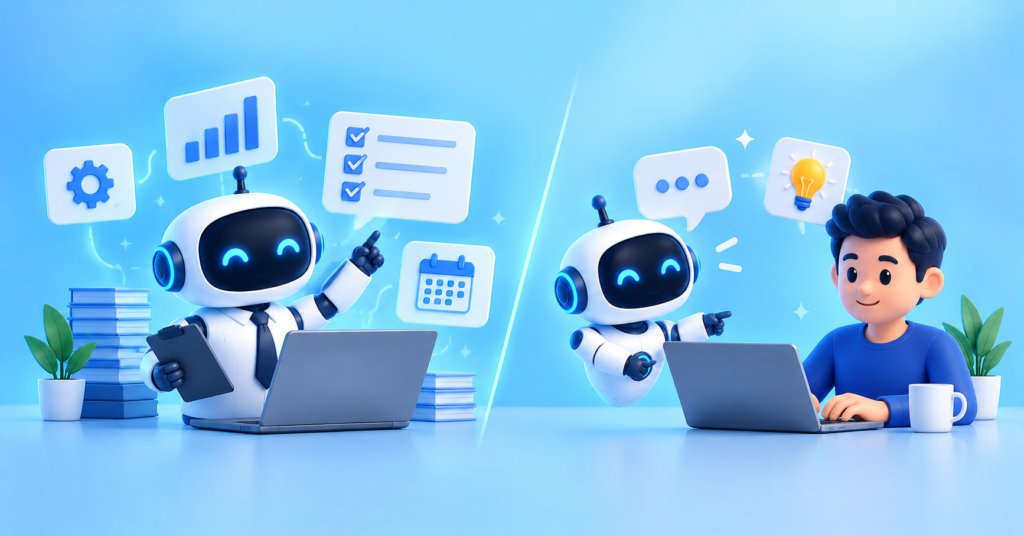
Artificial intelligence is changing how businesses create content, manage customers, analyze data, and automate everyday tasks. While AI assistants have already become popular productivity tools, a new concept is gaining attention: AI employees.
But what exactly is the difference between AI employees and AI assistants? Are AI employees simply advanced virtual assistants, or can they take responsibility for entire business workflows?
The main difference lies in how they are designed to work. An AI assistant typically helps a person complete specific tasks, while an AI employee is designed around an ongoing business role and may handle a defined set of responsibilities with greater independence.
However, these terms are not standardized. An AI employee may use an AI assistant, an AI agent, or a combination of automation technologies to perform its work.
In this guide, we will explore AI employees vs AI assistants, their key differences, practical examples, benefits, limitations, and how businesses can choose the right solution.
What Is an AI Assistant?
An AI assistant is a software application that uses artificial intelligence to help people perform tasks, answer questions, generate content, and solve problems.
Most AI assistants understand natural language, allowing users to communicate through text or voice instead of relying on complicated commands.
For example, a marketing professional can ask an AI assistant to write a blog outline, summarize a research report, generate social media captions, or suggest SEO keywords.
Popular AI assistants and AI-powered productivity tools include ChatGPT, Google Gemini, Microsoft Copilot, and other conversational AI applications.
How Does an AI Assistant Work?
An AI assistant generally follows a user-directed process:
- The user provides a question, instruction, or task.
- The AI interprets the request and uses the available context.
- It generates an answer, recommendation, or requested output.
- The user reviews the result and decides what to do next.
Some modern AI assistants can also search the web, access connected applications, analyze files, and perform actions. Their capabilities depend on the product, available integrations, and permissions.
Common Uses of AI Assistants
Businesses and individuals use AI assistants for:
- Content creation: Drafting articles, emails, reports, and marketing copy.
- Research: Summarizing documents and gathering relevant information.
- Customer support: Suggesting answers to common customer questions.
- Data analysis: Explaining trends and helping interpret datasets.
- Coding: Generating code, identifying bugs, and explaining technical concepts.
- Productivity: Organizing information, preparing meeting notes, and planning tasks.
The biggest advantage of an AI assistant is that it helps people work faster without necessarily changing how their entire business operates.
What Is an AI Employee?
An AI employee is an AI-powered system configured to perform an ongoing, defined business role. Rather than simply answering individual requests, it may manage recurring tasks, follow established procedures, interact with business software, and work toward specific operational goals.
Think of an AI employee as a digital team member with a particular job description, assigned responsibilities, access permissions, and measurable performance targets.
For example, an AI marketing employee might research keywords, prepare content briefs, draft articles, organize publishing tasks, and generate performance summaries. Depending on its integrations and permissions, it may also update a content management system or schedule approved content.
Similarly, an AI customer support employee could classify incoming tickets, retrieve relevant customer information, draft replies, and route complex cases to human representatives.
How Does an AI Employee Work?
An AI employee may operate through several connected components:
- Role definition: The business specifies the system’s responsibilities and expected outcomes.
- Context and knowledge: It receives access to relevant company information, instructions, and approved data sources.
- Task execution: It uses AI models, tools, APIs, and workflows to complete assigned activities.
- Ongoing operation: It may handle recurring tasks or respond to predefined triggers.
- Monitoring and escalation: It records results, follows performance rules, and requests human intervention when necessary.
Not every product marketed as an AI employee supports all these capabilities. Some are essentially AI assistants with specialized instructions, while others combine AI agents, integrations, workflow automation, and persistent role-specific context.
Important: An AI employee is a business concept, not a universally defined technical category. It does not automatically possess human judgment, accountability, or the ability to work independently without supervision.
AI Employees vs AI Assistants: Key Differences
Although both technologies use AI to support business activities, their intended roles and operating models can differ significantly.
| Feature | AI Assistant | AI Employee |
| Primary purpose | Help users complete tasks | Handle an ongoing business role |
| Work style | Often request-driven | May be recurring, goal-driven, or event-driven |
| Scope | Individual tasks or conversations | A defined collection of responsibilities |
| Context | Current conversation or connected data | May include persistent role-specific business context |
| Workflow | Often produces outputs for a user | May coordinate multiple steps and tools |
| Integrations | Vary by product | Often designed around specific business systems |
| Human involvement | User commonly directs and reviews tasks | Oversight may focus on approvals, exceptions, and results |
| Performance measurement | Quality and usefulness of individual outputs | Role-based targets, workflow completion, accuracy, and reliability |
| Best suited for | Personal productivity and on-demand help | Recurring operational work and delegated workflows |
These distinctions describe common implementations rather than absolute rules. An advanced AI assistant can execute actions, and an AI employee can still require frequent human direction.
AI Employee vs AI Assistant vs AI Agent
Understanding the difference between these three terms makes it easier to evaluate AI products.
- AI assistant: A system designed to help a person with questions, decisions, and tasks.
- AI agent: A system designed to pursue a goal by selecting steps, using tools, and performing actions within defined boundaries.
- AI employee: A business-oriented role that packages AI capabilities around ongoing responsibilities and expected outcomes.
For example, an AI assistant can draft a customer email. An AI agent may retrieve the order details, check the applicable policy, prepare the response, and update a support ticket. An AI employee may be configured to handle a defined customer support workflow repeatedly, using one or more agents and escalating difficult cases.
The boundaries overlap. An AI employee may be built using AI agents, while an AI assistant may coordinate those agents. The label alone does not tell you how autonomous or capable a product really is.
Real-World Examples of AI Employees and AI Assistants
Let’s examine how these technologies could be used in common business functions.
1. AI Marketing Employee vs AI Marketing Assistant
An AI marketing assistant can generate campaign ideas, suggest keywords, write social media posts, and help marketers analyze campaign results.
An AI marketing employee may be configured to manage a recurring workflow, such as monitoring campaign performance, preparing content variations, organizing drafts, and producing weekly reports.
For example, a human marketer could set the objective of preparing a product launch campaign. The AI employee could coordinate research, draft content, and organize campaign assets, while a human approves the messaging and advertising budget.
2. AI Customer Support Employee vs AI Support Assistant
An AI support assistant helps agents find answers, summarize conversations, and draft responses to customer questions.
An AI customer support employee may handle a defined workflow that includes classifying incoming tickets, retrieving relevant documentation, preparing responses, updating ticket fields, and routing unresolved cases.
A reliable implementation should escalate sensitive complaints, uncertain answers, and exceptional cases rather than attempting to resolve everything automatically.
3. AI Sales Employee vs AI Sales Assistant
An AI sales assistant can draft outreach emails, summarize customer meetings, and suggest follow-up questions.
An AI sales employee may support a recurring sales process by researching prospects, updating CRM records, preparing personalized outreach, and reminding sales representatives about follow-up activities.
Any autonomous outreach should follow applicable privacy rules, company policies, and communication preferences. High-impact decisions and unusual customer situations may require human approval.
4. AI SEO Employee vs AI SEO Assistant
An AI SEO assistant can suggest keywords, generate outlines, recommend internal links, and explain technical SEO problems.
An AI SEO employee may manage a more extensive workflow: monitor selected pages, identify content gaps, prepare optimization recommendations, create drafts, and organize publishing tasks.
For a WordPress website, integrations could allow the system to prepare drafts or update approved fields. However, publishing content without editorial review can introduce factual errors, poor-quality pages, or search engine compliance risks.
AI can accelerate SEO work, but it cannot guarantee rankings or organic traffic growth.
Benefits of AI Employees
AI employees can offer several advantages when configured for suitable workflows.
1. Automate Repetitive Work
Businesses often spend significant time on recurring activities such as sorting emails, preparing reports, updating records, and organizing documents.
An AI employee can handle parts of these processes automatically when the relevant tools, permissions, and rules are in place.
2. Support More Consistent Workflows
A role-specific system can follow documented procedures, use approved templates, and apply predefined rules across recurring tasks.
This can reduce avoidable variation, although consistent execution still depends on data quality and system reliability.
3. Coordinate Multiple Tasks
Instead of handling one isolated request at a time, an AI employee may connect multiple steps into a broader workflow.
For example, a content workflow could combine topic research, keyword analysis, drafting, editorial checks, and preparation for publication.
4. Improve Operational Visibility
Businesses can track measurable indicators such as completion rates, processing time, error rates, and escalation frequency.
These metrics help teams evaluate whether automation is actually improving operations rather than merely producing impressive demonstrations.
5. Free Employees for Higher-Value Work
By reducing manual administrative work, AI systems may give employees more time for strategy, customer relationships, creative decisions, and complex problem-solving.
The goal should be to improve the quality and efficiency of work, not simply to maximize automation.
Benefits of AI Assistants
AI assistants remain valuable because they are flexible, accessible, and relatively easy to introduce.
1. Easy to Get Started
A person can often begin using an AI assistant by entering a prompt or uploading a document. Complex integrations are not always necessary.
2. Flexible Across Different Tasks
One assistant can help with writing, research, coding, planning, and brainstorming without needing a separate specialized system for every task.
3. Keep Humans in Control
Users can review suggestions, adjust instructions, compare alternatives, and make final decisions before taking action.
4. Useful for Creative and Knowledge Work
AI assistants are particularly helpful when a task requires idea generation, explanation, drafting, or interactive problem-solving.
5. Suitable for Individuals and Small Teams
Freelancers, students, creators, and small businesses can use assistants without building an extensive automation infrastructure.
Limitations and Risks to Consider
Neither AI employees nor AI assistants are perfect. Their limitations should influence how businesses deploy them.
Accuracy: AI systems can generate incorrect information, misinterpret instructions, or overlook important context.
Data privacy: Connecting AI to customer records, internal documents, or company applications introduces security and access-control considerations.
Integration complexity: AI employees that operate across multiple systems may require API access, workflow design, testing, and ongoing maintenance.
Operational risk: An incorrect action can have greater consequences when a system can update records, send messages, or initiate transactions.
Cost: Subscription fees are only one part of the total cost. Integration, monitoring, human review, and error correction also matter.
Accountability: Businesses must define who is responsible for reviewing decisions, handling failures, and approving sensitive actions.
A practical approach is to start with low-risk tasks, restrict permissions, log important actions, measure reliability, and require human approval for consequential decisions.
How to Choose Between an AI Employee and an AI Assistant
The right choice depends on the type of work you want to improve.
Choose an AI assistant if you need help with writing, brainstorming, research, coding, summarizing documents, or answering questions. It is a sensible starting point when tasks change frequently or require close human judgment.
Consider an AI employee if you have a recurring process with clear inputs, predictable boundaries, measurable outcomes, and enough integration support to execute the work reliably.
Before selecting an AI employee platform, ask these questions:
- Can it complete real tasks, or does it mainly generate recommendations?
- Which applications and data sources can it access?
- Can you restrict its permissions by role?
- Does it maintain context across recurring work?
- Can it request approval before sensitive actions?
- Are its actions logged and auditable?
- How does it handle errors and uncertain situations?
- What is the total cost compared with the current workflow?
Start by identifying one repetitive process and measuring its existing cost, completion time, and error rate. Then run a limited pilot and compare the results against those baseline measurements.
The Future of AI Employees and AI Assistants
AI assistants and AI employees are likely to coexist as organizations adopt more capable AI systems.
Assistants provide a convenient way for people to communicate with AI, ask questions, and guide work. AI agents add the ability to plan and execute multi-step tasks. AI employees package these capabilities around business roles and recurring responsibilities.
In a mature implementation, an employee might ask an AI assistant to investigate a problem. The assistant could coordinate specialized agents to collect information, analyze records, and prepare recommendations. A role-based AI employee could then support the recurring workflow, with human approval at important checkpoints.
This approach combines the flexibility of conversational AI with the execution capabilities of connected systems.
However, greater autonomy does not automatically produce better outcomes. Businesses will still need reliable data, clear operating boundaries, security controls, and meaningful human oversight.
Conclusion
The difference between AI employees and AI assistants comes down to their intended role and the scope of work they handle.
AI assistants help people complete tasks, while AI employees are designed to take on defined business responsibilities over time. AI agents often provide the execution capabilities that make more autonomous workflows possible.
For individuals, freelancers, and small businesses, an AI assistant may be the most practical starting point. For organizations with repeatable workflows and clear performance goals, an AI employee may offer additional value when it can reliably execute tasks across connected systems.
Ultimately, the best solution is not necessarily the one with the highest level of autonomy. It is the one that solves a genuine business problem, delivers measurable value, and operates safely within clear boundaries.
Frequently Asked Questions (FAQs)
1. What is the main difference between AI employees and AI assistants?
An AI assistant primarily helps users complete tasks and make decisions. An AI employee is configured around an ongoing business role and may perform recurring responsibilities with greater independence.
2. Are AI employees the same as AI agents?
No. An AI agent is a technical system that can pursue goals and execute actions using available tools. An AI employee is a business concept that organizes AI capabilities around a defined role. An AI employee may use one or more AI agents.
3. Can AI employees work without human supervision?
They can perform certain tasks with limited supervision if they have suitable instructions, permissions, integrations, and safeguards. Human oversight remains important, especially for sensitive decisions and actions with significant consequences.
4. Are AI employees better than AI assistants?
Neither is universally better. AI assistants are useful for flexible, on-demand help, while AI employees may be more suitable for recurring workflows and role-based responsibilities.
5. Can small businesses use AI employees?
Yes. Small businesses can use role-specific AI systems for activities such as lead research, customer support, content preparation, and reporting. It is usually best to start with one well-defined workflow and expand only after measuring its performance.
6. Will AI employees replace human employees?
AI may automate some tasks and change how certain jobs are performed. However, human judgment, relationship-building, accountability, and complex decision-making remain important. The impact will vary by occupation, business process, and implementation.
7. What is an example of an AI employee?
An AI content operations employee could research topics, prepare SEO briefs, draft articles, organize editorial tasks, and generate performance reports. Its exact capabilities would depend on the tools, data access, and permissions provided.
8. How do businesses measure AI employee performance?
Useful metrics include task completion rate, accuracy, processing time, cost per task, error rate, escalation frequency, and human review time. Businesses should compare these results with the existing process before expanding deployment.
9. Do AI employees need integrations?
Not always, but integrations are often necessary when an AI employee must perform actions in a CRM, help desk, content management system, or other business application. The required integrations depend on its responsibilities.
10. What is the best way to get started with AI employees?
Choose a repetitive, low-risk workflow with clear success criteria. Test an AI solution on a limited scale, restrict its permissions, monitor its actions, and expand its responsibilities only when the results are reliable.